Most repeated positive
13authors
A complete feature set
“cleanshotx - scrolling screenshots is much more robust.”Evidence: r/macapps · Shottr vs CleanShot X in 2026. Which one are you actually sticking with?

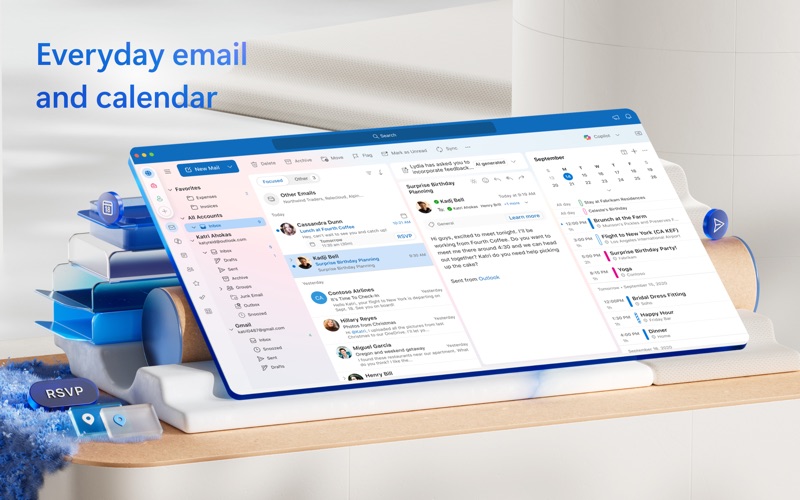
Outlook helps you stay connected and organized at the office and at home with easy access to emails, files, calendar events, and contacts across all your accounts so you can quickly get things done. With Outlook for Mac, we have reimagined…
Release notes parsed from trusted records and kept on this page. History provides context; a future Watch alert starts from a fresh baseline.
Be the first to request it
Request the same source-linked purchase brief shown in the completed example below. Your email starts the request and receives the result.
Want it sooner? Independent demand changes queue priority.
Completed example · CleanShot X data
Everything below belongs to CleanShot X. It is a real, completed example—not research about Microsoft Outlook.

CleanShot X
Example data
 Completed research example
Most repeated positive
13authors
“cleanshotx - scrolling screenshots is much more robust.”Evidence: r/macapps · Shottr vs CleanShot X in 2026. Which one are you actually sticking with?
Most repeated concern
16authors
“I don't think it makes sense to spend the money for Cleanshot when other apps do most of what it does for a lot less or free.”Evidence: r/macapps · Shottr vs CleanShot X in 2026. Which one are you actually sticking with?
Product context
Official or maker-supplied product information. It is kept separate from buyer evidence and independent purchase verification.
Outlook helps you stay connected and organized at the office and at home with easy access to emails, files, calendar events, and contacts across all your accounts so you can quickly get things done.
With Outlook for Mac, we have reimagined the experience that you know and love, bringing even more power and simplicity to the product.
Here’s what’s new with Outlook for Mac:
Now free with your personal email accounts • Multi-account experience for email, calendar, and contacts, so you can focus and get things done without leaving the app • Compatible with Microsoft 365, Outlook.com (including Hotmail and MSN), Gmail, Yahoo! Mail, iCloud, IMAP, and POP accounts • Add a premium subscription to go ad-free
Fast, beautiful, and effortless • Reimagined from the ground up and crafted natively for Mac so that it feels smooth, easy to use, and powerful • End-to-end redesign brings simplicity and customization to your email and calendaring
Enhanced speed and performance • Optimized for Apple Silicon • Fast load times and quicker syncing of accounts with Microsoft sync technology
Personalized to fit your style • A fully customizable toolbar with your most-used commands at your fingertips • Personalize your workflow with swipe gestures, email pinning, hover actions, theming, display density, and much more
Search that works for you • Find what you need quicker and more reliably with enhanced search suggestions, and more
An integrated calendar • Make most of your time, plan meetings, check availability, track RSVPs, and share your calendar • Use My Day to surface your agenda and a two-week calendar view alongside your inbox • Set meetings to always-virtual and make your default meetings start or end early
Privacy and world-class security • Help protect your data using Microsoft Information Protection
This app is provided by either Microsoft or a third-party app publisher and is subject to a separate privacy statement and terms and conditions. Data provided through the use of this store and this app may be accessible to Microsoft or the third-party app publisher, as applicable, and transferred to, stored, and processed in the United States or any other country where Microsoft or the app publisher and their affiliates or service providers maintain facilities.
Please refer to the Microsoft Software License Terms for Microsoft Office. See “License Agreement” link under Information. By installing the app, you agree to these terms and conditions.
Consumer Health Privacy Policy: https://go.microsoft.com/fwlink/?linkid=2259814
• Mail: Fixed an issue with rendering color in message window title bar. • Mail: Improved performance in reading and composing large complex emails including those with multiple embedded Loop components. • Search: Fixed an issue where the search bar may become unresponsive.
Recent conversations with a verified link to this App.

33 upvotes · 24 comments ·
More Productivity apps from the directory.


