Most repeated positive
13authors
A complete feature set
“cleanshotx - scrolling screenshots is much more robust.”Evidence: r/macapps · Shottr vs CleanShot X in 2026. Which one are you actually sticking with?

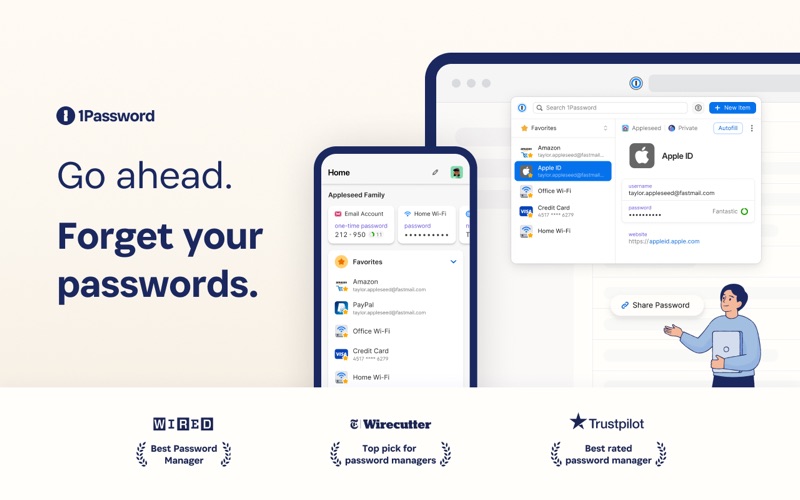
1Password is the world’s most loved password manager, trusted by millions of individuals and over 175,000 businesses to keep their secrets safe. == A browser-first experience == You can now use 1Password in Safari without installing the de…
Release notes parsed from trusted records and kept on this page. History provides context; a future Watch alert starts from a fresh baseline.
Be the first to request it
Request the same source-linked purchase brief shown in the completed example below. Your email starts the request and receives the result.
Want it sooner? Independent demand changes queue priority.
Completed example · CleanShot X data
Everything below belongs to CleanShot X. It is a real, completed example—not research about 1Password for Safari.

CleanShot X
Example data
 Completed research example
Most repeated positive
13authors
“cleanshotx - scrolling screenshots is much more robust.”Evidence: r/macapps · Shottr vs CleanShot X in 2026. Which one are you actually sticking with?
Most repeated concern
16authors
“I don't think it makes sense to spend the money for Cleanshot when other apps do most of what it does for a lot less or free.”Evidence: r/macapps · Shottr vs CleanShot X in 2026. Which one are you actually sticking with?
Product context
Official or maker-supplied product information. It is kept separate from buyer evidence and independent purchase verification.
1Password is the world’s most loved password manager, trusted by millions of individuals and over 175,000 businesses to keep their secrets safe.
== A browser-first experience ==
You can now use 1Password in Safari without installing the desktop app! 1Password for Safari is a completely independent extension that provides full access to 1Password’s capabilities:
Create and store strong, unique passwords for all your accounts Fill usernames & passwords, credit cards, and addresses on websites and online forms in seconds Protect your private notes, sensitive documents, credit cards, medical records, software licenses, and more
If you choose to install the desktop app as well, 1Password for Safari integrates securely with it so you can use Touch ID on supported Macs to unlock in an instant. Best of all, when you unlock one, you unlock the other too!
== Secure by design ==
The information you store in 1Password is encrypted, and only you hold the keys to decrypt it. We can’t see your data, so we can’t use it, share it, or sell it.
Learn more about our security model at 1Password.com/security.
== Built for families and teams ==
1Password for Safari supports accounts for you, your family, and your business.
Add all your accounts and choose which vaults you want to see Easily move items between accounts Use shared vaults to safely share secrets with your loved ones or team members
== Get automatic security alerts with Watchtower ==
Watchtower monitors your account for vulnerabilities so you can stay one step ahead of any problems.
Get notified if your login credentials have been exposed in a data breach Highlight weak or reused passwords so you can change them Identify sites that support multi-factor authentication to help you add another layer of security
==Get started for free ==
Try 1Password free for 14 days, then find the plan that’s right for you or your business. Use 1Password on as many devices as you need, with apps for every platform, unlimited password and item storage, and friendly 24/7 email support.
== The Nitty Gritty Fine Print ==
1Password can be used in read-only mode without an active 1Password membership. Privacy policy: https://1password.com/legal/privacy/ Terms of Use: https://1password.com/legal/terms-of-service/
- You can now start a subscription with an in-app purchase in 1Password for Safari. You can choose your account type and complete your purchase, as well as restore a previous in-app purchase to an existing 1Password account.
More Utilities apps from the directory.