Most repeated positive
13authors
A complete feature set
“cleanshotx - scrolling screenshots is much more robust.”Evidence: r/macapps · Shottr vs CleanShot X in 2026. Which one are you actually sticking with?

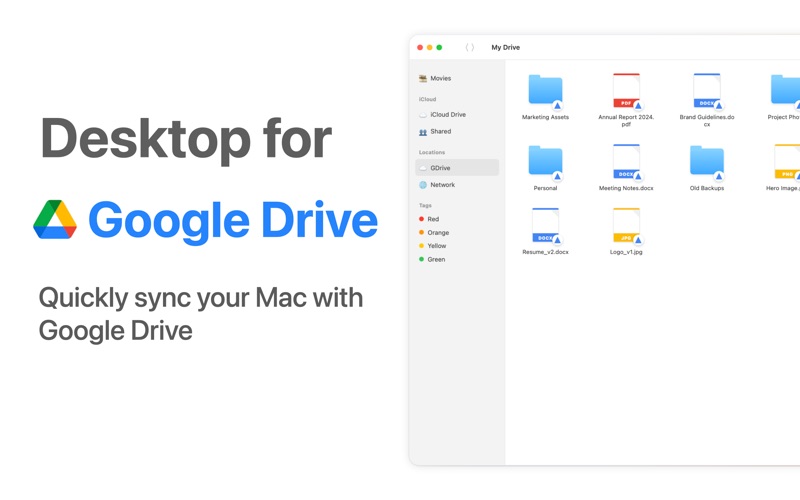
This is a Google Drive desktop app designed specifically for macOS, focused on making cloud file management as natural and simple as working with local files. Instead of opening a browser or using a heavy official client, you can access Go…
Release notes parsed from trusted records and kept on this page. History provides context; a future Watch alert starts from a fresh baseline.
Be the first to request it
Request the same source-linked purchase brief shown in the completed example below. Your email starts the request and receives the result.
Want it sooner? Independent demand changes queue priority.
Completed example · CleanShot X data
Everything below belongs to CleanShot X. It is a real, completed example—not research about App for Google Drive SM.

CleanShot X
Example data
 Completed research example
Most repeated positive
13authors
“cleanshotx - scrolling screenshots is much more robust.”Evidence: r/macapps · Shottr vs CleanShot X in 2026. Which one are you actually sticking with?
Most repeated concern
16authors
“I don't think it makes sense to spend the money for Cleanshot when other apps do most of what it does for a lot less or free.”Evidence: r/macapps · Shottr vs CleanShot X in 2026. Which one are you actually sticking with?
Product context
Official or maker-supplied product information. It is kept separate from buyer evidence and independent purchase verification.
This is a Google Drive desktop app designed specifically for macOS, focused on making cloud file management as natural and simple as working with local files.
Instead of opening a browser or using a heavy official client, you can access Google Drive directly in Finder like a regular folder. Your cloud files appear through the native macOS file system, giving you a true “cloud as local storage” experience.
Core Features
Native Finder Integration Google Drive works like a normal folder in Finder. Browse, search, preview, and organize your cloud files using familiar macOS workflows.
Drag to Upload, Open to Sync Drag files into the folder to upload them to the cloud. Open files to automatically download and sync locally. Everything runs quietly in the background.
Automatic Background Sync All uploads and downloads are handled automatically without interrupting your workflow.
Menu Bar Control The app lives in the macOS menu bar and displays real-time sync status, transfer progress, and recent activity.
Lightweight and Efficient Built with native macOS architecture for fast performance and low CPU and memory usage.
Secure Transfers All file operations use official Google Drive APIs and follow Google’s security and authentication mechanisms.
Who It’s For • Users who rely on Google Drive for daily work • Designers, developers, students, and office users • Anyone who wants cloud storage to behave like a local folder
License Information
One-time purchase option: $29.99 for lifetime access.
The payment will be charged to your iTunes account at confirmation of purchase.
Subscription option (with free trial): Yearly plan starting at $19.99.
Subscriptions automatically renew unless canceled. • Payment will be charged to iTunes Account at confirmation of purchase • Subscription can be managed and auto-renewal can be turned off in Account Settings • The subscription renews automatically unless canceled at least 24 hours before the end of the current period • Renewal will be charged within 24 hours before the current subscription period ends
Privacy Policy https://widgetswall.com/privacypolicy.html
Terms of Service https://widgetswall.com/termsofservice.html
Disclaimer
This application is an independent third-party macOS client and is not affiliated with or endorsed by Google LLC.
“Google Drive” is a trademark of Google LLC. All trademarks belong to their respective owners.
This app accesses files using the official Google Drive APIs. The developer does not collect, store, or access the contents of user files. All data transfers follow Google’s security standards.
Users should review Google Drive’s Terms of Service and Privacy Policy before using this application. The developer is not responsible for issues caused by service changes, network conditions, or account permission limitations.
By using this application, you acknowledge and agree to this disclaimer.
- Enhanced user experience and fixed bugs
More Tasks & Projects apps from the directory.