Most repeated positive
13authors
A complete feature set
“cleanshotx - scrolling screenshots is much more robust.”Evidence: r/macapps · Shottr vs CleanShot X in 2026. Which one are you actually sticking with?

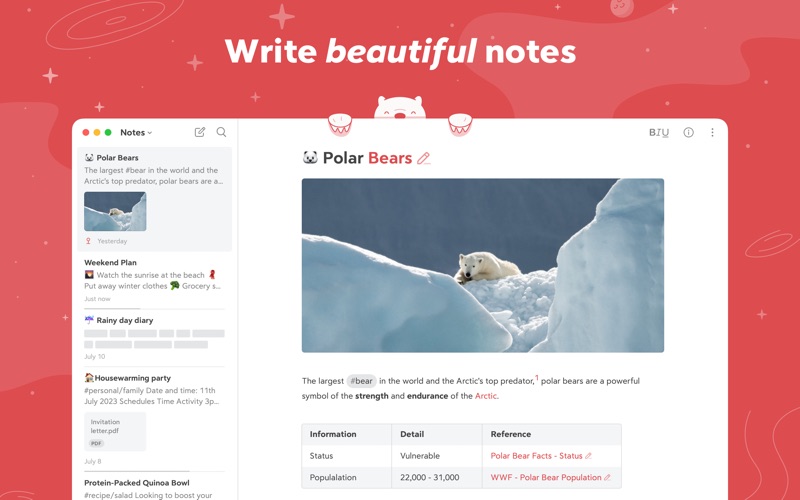
Bear is a beautiful, powerfully simple Markdown app to capture, write, and organize your life. Take notes, plan your day, journal thoughts, organize tables, create lists and tasks, sketch ideas, link notes together, write a book, and muc…
Release notes parsed from trusted records and kept on this page. History provides context; a future Watch alert starts from a fresh baseline.
Be the first to request it
Request the same source-linked purchase brief shown in the completed example below. Your email starts the request and receives the result.
Want it sooner? Independent demand changes queue priority.
Completed example · CleanShot X data
Everything below belongs to CleanShot X. It is a real, completed example—not research about Bear: Markdown Notes.

CleanShot X
Example data
 Completed research example
Most repeated positive
13authors
“cleanshotx - scrolling screenshots is much more robust.”Evidence: r/macapps · Shottr vs CleanShot X in 2026. Which one are you actually sticking with?
Most repeated concern
16authors
“I don't think it makes sense to spend the money for Cleanshot when other apps do most of what it does for a lot less or free.”Evidence: r/macapps · Shottr vs CleanShot X in 2026. Which one are you actually sticking with?
Field notes from people who used Bear: Markdown Notes. The opinions are theirs; quoted facts are re-checked by AI Research.
Product context
Official or maker-supplied product information. It is kept separate from buyer evidence and independent purchase verification.
Bear is a beautiful, powerfully simple Markdown app to capture, write, and organize your life. Take notes, plan your day, journal thoughts, organize tables, create lists and tasks, sketch ideas, link notes together, write a book, and much more. Bear is used by writers, lawyers, chefs, CEOs, teachers, doctors, engineers, students, parents.. you get the picture. Getting started couldn’t be faster—no signup and no account. Just open a note and write naturally. "My journaling app of choice is Bear" - Kit Eaton, New York Times * 2017 Apple Design Award * 2016 App Store App of the Year * Editors' choice for 7 consecutive years * Most of our parents love it
- Tools stay out of your way so you can just write - Clip web pages and other content with Bear’s app extension - The redesigned Info Panel now with Table of Contents and Backlinks - Support for all the scripts including RTL languages like Arabic, Hebrew, and Persian - Easily create notes with Siri and Shortcuts - Your notes, not ours - Bear is private at its core: We cannot see your notes, tags, or anything else
- Work in plain text - easy to move between apps - Still use formatting like bold, italics, strikethrough, links, tables, and more with Markdown - Combine text styles like bold and underline, even in headings - Markdown hides for a clean reading experience - Use WikiLinks to connect notes and build a personal wiki or knowledge management tool
- Add #tags, #multi-word tags# and even #multiple/nested/tags anywhere in a note for quick organization - Pin important tags to the top of the Sidebar - Make important tags stand out in the Sidebar with TagCons - Add tasks to notes and easily view all notes that include tasks - Fold sections to get them out of the way
- Export notes to plain text, Markdown, TextBundle, Bear note, and rich text - Export notes to HTML, DocX, PDF, JPG, and ePub (Bear Pro required) - Easily share your notes to any third-party app with the Share Sheet
- Use Spotlight to search your notes from anywhere - Search for text inside photos and PDFs (Bear Pro required) - Focus on specific types of notes with powerful Special Searches like @todo, @images, and @yesterday
* Pick from nearly 30 themes for the perfect writing space in both Light and Dark Mode (Bear Pro required) * Choose an app icon that speaks to your personality (Bear Pro required) * Set your own fonts for plain text, headings, and code * Set line height and width, paragraph spacing, and more
bear@shinyfrog.net Twitter: BearNotesApp Reddit: reddit.com/r/BearApp Facebook: BearNotes Instagram: BearNotesApp Privacy Policy: http://www.bear.app/privacy/ Terms of Service: http://www.bear.app/terms/
- Fixed issue with the hide substags notes option - Fixed the issue with create new notes with option
More Productivity apps from the directory.