Most repeated positive
13authors
A complete feature set
“cleanshotx - scrolling screenshots is much more robust.”Evidence: r/macapps · Shottr vs CleanShot X in 2026. Which one are you actually sticking with?

"Where does all my money go?" A paper check register can't categorize your transactions or report cash flow over time, and it'll never balance itself. Other finance apps are like medieval torture devices, so full of features you don't need…
Release notes parsed from trusted records and kept on this page. History provides context; a future Watch alert starts from a fresh baseline.
New Features
Fixes
Be the first to request it
Request the same source-linked purchase brief shown in the completed example below. Your email starts the request and receives the result.
Want it sooner? Independent demand changes queue priority.
Completed example · CleanShot X data
Everything below belongs to CleanShot X. It is a real, completed example—not research about CheckBook 3.

CleanShot X
Example data
 Completed research example
Most repeated positive
13authors
“cleanshotx - scrolling screenshots is much more robust.”Evidence: r/macapps · Shottr vs CleanShot X in 2026. Which one are you actually sticking with?
Most repeated concern
16authors
“I don't think it makes sense to spend the money for Cleanshot when other apps do most of what it does for a lot less or free.”Evidence: r/macapps · Shottr vs CleanShot X in 2026. Which one are you actually sticking with?
Product context
Official or maker-supplied product information. It is kept separate from buyer evidence and independent purchase verification.
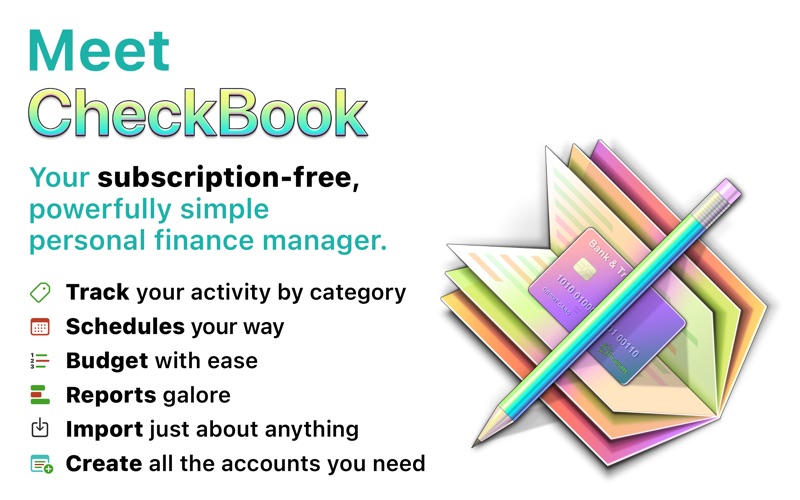
"Where does all my money go?" A paper check register can't categorize your transactions or report cash flow over time, and it'll never balance itself. Other finance apps are like medieval torture devices, so full of features you don't need that they're actually painful to use. What you really need is a friendly personal finance tool that gets the basics just right and keeps things simple. That's where we come in. Meet CheckBook, your powerfully simple personal finance manager.
Precisely manage your finances • Find transactions with simple searches or combine search criteria to really drill into your data • Reconcile your accounts to the penny • Schedule transactions that repeat periodically, like monthly bills and paychecks • Set budget goals and track your progress • Create as many accounts as you need • Itemize different categories in the same transaction • Track cash flow over time with customizable reports so you can see where your money came from and where it’s going • Transfer funds between accounts • Work in your favorite currencies
Import from other personal finance apps or your bank • Strong support for OFX, QFX, QIF, CSV and Text • Import from Quicken® Essentials for Mac and Quicken for Mac 2015 and later
Share and sync your data • Sync with other users on a local network • Sync or share your document with iCloud Drive
And more • Manage accounts in multiple currencies • Transfer funds between accounts without creating two transactions (look under the Entry menu or contact us for help)
Your purchase includes Family Sharing.
Learn more about CheckBook • Download & print CheckBook's built-in help: https://www.splasm.com/checkbook • Watch video tutorials: https://www.splasm.com/videos • Share with other CheckBook users in our forums: https://www.splasm.com/forum
Get Help Send questions about CheckBook to support@splasm.com. We're happy to help!
New Features • Mark groups of split line items as Tax-deductible with the new Action button in Entry and Schedule sheets. • Search > Custom Date Range… now includes a Cancel button and automatically populates with the date range of your current date Search option. • Ever tweak your appearance colors and take a wrong turn or two? Reset to the defaults: Click CheckBook > Settings > Light Appearance Colors/Dark Appearance Colors > Reset Appearance Colors and voilà!
Fixes • Improves VoiceOver support. • Prevents a hang you might see when trying to change a Category in the Import Preview. • Heads off a crash that can happen after you manage your Currencies or pending Scheduled Entries in the Schedule Reminder. • Zaps a major performance issue when printing from Budget or Summary to some printer models. • Corrects a few text and background color issues related to switching between light and dark mode. • Nixes a glitch that could lead to unexpected behavior in the Settings/Preferences window if the preferred Entry font is no longer available. • Corrects an issue that can prevent Budget Goals from remembering their Category when other subcategories have the same name. • Prevents a potential error when using File > Sync… with documents upgraded from CheckBook 2. • Includes minor QIF import improvements.
More Finance apps from the directory.