Most repeated positive
13authors
A complete feature set
“cleanshotx - scrolling screenshots is much more robust.”Evidence: r/macapps · Shottr vs CleanShot X in 2026. Which one are you actually sticking with?

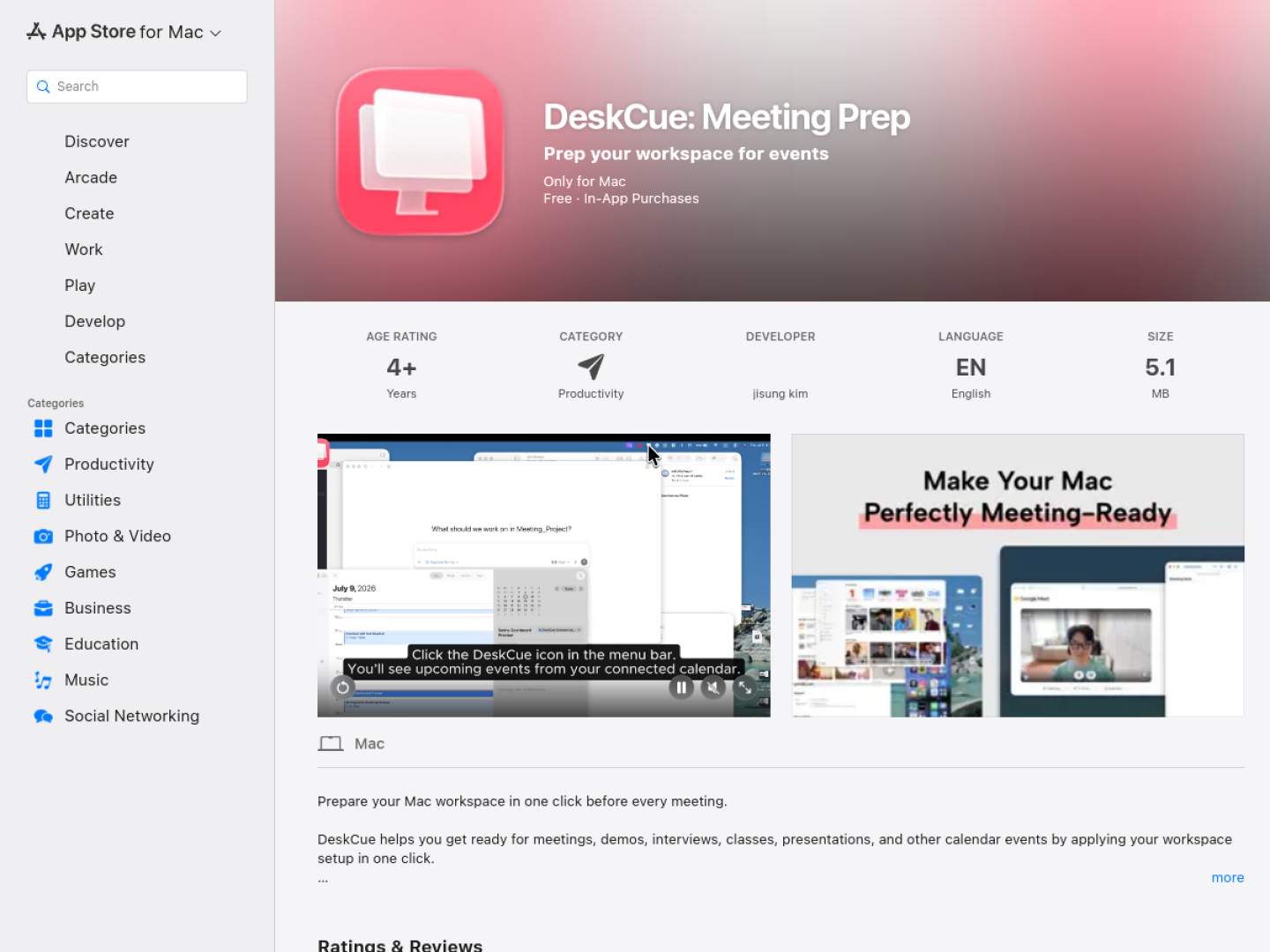
Prepare for calendar events by opening the right apps, files, and links, hiding distractions, and restoring your previous workspace when the meeting ends.
Release notes parsed from trusted records and kept on this page. History provides context; a future Watch alert starts from a fresh baseline.
No trusted release history yet.
We have not observed a structured App Store, Sparkle, GitHub, or package release for DeskCue: Meeting Prep. Future official changes can still establish a Watch baseline.
Be the first to request it
Request the same source-linked purchase brief shown in the completed example below. Your email starts the request and receives the result.
Want it sooner? Independent demand changes queue priority.
Completed example · CleanShot X data
Everything below belongs to CleanShot X. It is a real, completed example—not research about DeskCue: Meeting Prep.

CleanShot X
Example data
 Completed research example
Most repeated positive
13authors
“cleanshotx - scrolling screenshots is much more robust.”Evidence: r/macapps · Shottr vs CleanShot X in 2026. Which one are you actually sticking with?
Most repeated concern
16authors
“I don't think it makes sense to spend the money for Cleanshot when other apps do most of what it does for a lot less or free.”Evidence: r/macapps · Shottr vs CleanShot X in 2026. Which one are you actually sticking with?
Field notes from people who used DeskCue: Meeting Prep. The opinions are theirs; quoted facts are re-checked by AI Research.
Product context
Official or maker-supplied product information. It is kept separate from buyer evidence and independent purchase verification.
DeskCue applies a saved workspace setup before meetings, demos, interviews, classes, presentations, and other calendar events. A Prep Profile can open the required apps, files, folders, web documents, and meeting links in one step, either from the app or with a shortcut. Upcoming events are also visible from the Mac menu bar.
The same preparation flow can hide selected apps, cover desktop wallpaper and icons, and keep private material out of view before sharing a screen. When the event ends, DeskCue can restore the previous workspace instead of leaving the user to reopen or rearrange everything manually. Its current release also supports using Focus to help manage notifications during meetings.
DeskCue stores profiles, selected apps, file paths, event connections, and workspace state on the Mac. Calendar access is used to show upcoming events and prepare the workspace; the official listing says calendar events, file contents, URLs, and profile names are not uploaded to its servers. New users receive free access, after which an active monthly subscription is required for Prep Mode and related preparation features.
More Workflow & Automation apps from the directory.