Most repeated positive
13authors
A complete feature set
“cleanshotx - scrolling screenshots is much more robust.”Evidence: r/macapps · Shottr vs CleanShot X in 2026. Which one are you actually sticking with?

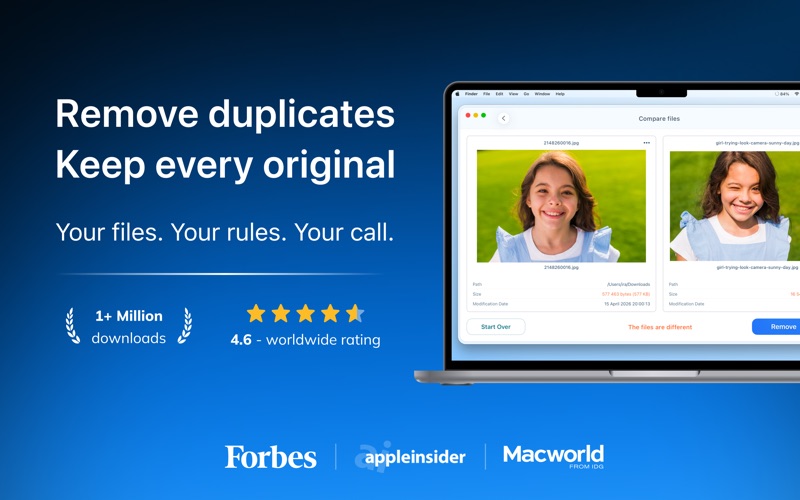
Get more free disk space by removing unnecessary duplicate files and folders from your Mac. Remove duplicate photos on any mounted disk or folder. Use Duplicate File Finder FREE to find and remove duplicate files and similar media. Get the…
Release notes parsed from trusted records and kept on this page. History provides context; a future Watch alert starts from a fresh baseline.
We refined the interface to fit in better with the look of the latest macOS. Scanning is now noticeably faster, and we've improved how you select folders and file types for a scan. Anything we can improve? Let us know at support@nektony.com.
Be the first to request it
Request the same source-linked purchase brief shown in the completed example below. Your email starts the request and receives the result.
Want it sooner? Independent demand changes queue priority.
Completed example · CleanShot X data
Everything below belongs to CleanShot X. It is a real, completed example—not research about Duplicate File Finder Remover.

CleanShot X
Example data
 Completed research example
Most repeated positive
13authors
“cleanshotx - scrolling screenshots is much more robust.”Evidence: r/macapps · Shottr vs CleanShot X in 2026. Which one are you actually sticking with?
Most repeated concern
16authors
“I don't think it makes sense to spend the money for Cleanshot when other apps do most of what it does for a lot less or free.”Evidence: r/macapps · Shottr vs CleanShot X in 2026. Which one are you actually sticking with?
Product context
Official or maker-supplied product information. It is kept separate from buyer evidence and independent purchase verification.
Get more free disk space by removing unnecessary duplicate files and folders from your Mac. Remove duplicate photos on any mounted disk or folder. Use Duplicate File Finder FREE to find and remove duplicate files and similar media. Get the Pro version to delete duplicate folders, manage similar photos and music files, merge any folders, mass-select duplicates, and more.
Get rid of duplicate files just in 3 steps: Scan a disk, folder, or Photos Library for duplicates → Select duplicates → Review and Remove duplicates.
In a few minutes, Duplicate File Finder will provide you with a report of all the duplicate files by their categories: pictures, videos, music, archives, documents, and any other specific extensions. It has never been easier to see how much space each file takes. With this duplicate photo finder, you can scan as many folders as you wish, as well as multiple Photos Libraries. All you need to do is Drag and Drop the folders or disks into the app and click to Start Scanning.
List of the best Duplicate File Finder features:
SCANNING ▸ Fast scanning algorithm ▸ Ability to scan for duplicates in multiple folders and drives simultaneously ▸ Ability to scan multiple Photos Libraries ▸ Support for external drives and mounted network folders ▸ "Recent Folders List" for scanned folders ▸ Skip list for various files and folders ▸ Minimal file size" option for a faster scan ▸ Finding similar images ▸ Finding similar audio files
RESULTS OVERVIEW ▸ Duplicate files list ▸ Similar photos list ▸ Duplicate files by type
DUPLICATES ▸ Preview duplicates by file type ▸ Built-in duplicates search ▸ Preview duplicates with Quick Look ▸ Sort duplicates: by name, size, date, total size, type, duplicate count
SIMILAR MEDIA ▸ Find a series of similar photos in the Photos Library ▸ Compare similar photos in each group of series ▸ Find similar audio files
SELECTING ▸ "Always select" and "Never select" auto-select rules ▸ Smart duplicate auto-selection ▸ Option select duplicates in particular folders ▸ Reverse selection with "Keep files..." ▸ Visual progress bar of the selected duplicates
REMOVING ▸ Confirmation before removing files ▸ Customizable view of confirmation list ▸ Customizable removal options: move to directly Trash, remove completely or move to a specific folder ▸ History of removed duplicates
Duplicate File Finder FREE app allows you to: • Find duplicate files and folders • Find duplicates in multiple disks, folders, and Photos Libraries in one session • Find duplicates in any folder, disk, mounted folder, or storage • Add files, folders, and specified files extensions to the Skip List • Specify minimal file size for better duplicate-finding performance • Review duplicate files by types • Preview duplicate folders • Preview any duplicate with a built-in Preview option • Get detailed info about any duplicate • Customize Auto Select preferences • Preview similar folders - the folders with duplicate and unique files • Preview similar photos • Preview removal history • Review selected duplicates before removal • Delete duplicate and similar files
The Pro version of Duplicate File Finder provides you with even more features: • Use the “Select Duplicates in Folder” feature to select duplicates in bulk • Use Auto Select for quick duplicate files selection • Remove duplicate folders • Remove duplicate files in Similar folders • Merge similar folders • Merge any two folders to even a new folder • Move selected duplicates to a specific folder • Restore removed duplicates
*The application is free. It allows you to find and remove duplicate files in any folder or storage connected to your Mac. An in-app purchase of 'Upgrade to Pro' within the software is required to enable the Pro features. EULA: https://www.apple.com/legal/internet-services/itunes/dev/stdeula/
NOTE: If you have any comments, general questions, or technical issues, contact us directly at support@nektony.com, and we will respond to you within one business day.
We refined the interface to fit in better with the look of the latest macOS. Scanning is now noticeably faster, and we've improved how you select folders and file types for a scan. Anything we can improve? Let us know at support@nektony.com.
More Files & Storage apps from the directory.