Most repeated positive
13authors
A complete feature set
“cleanshotx - scrolling screenshots is much more robust.”Evidence: r/macapps · Shottr vs CleanShot X in 2026. Which one are you actually sticking with?

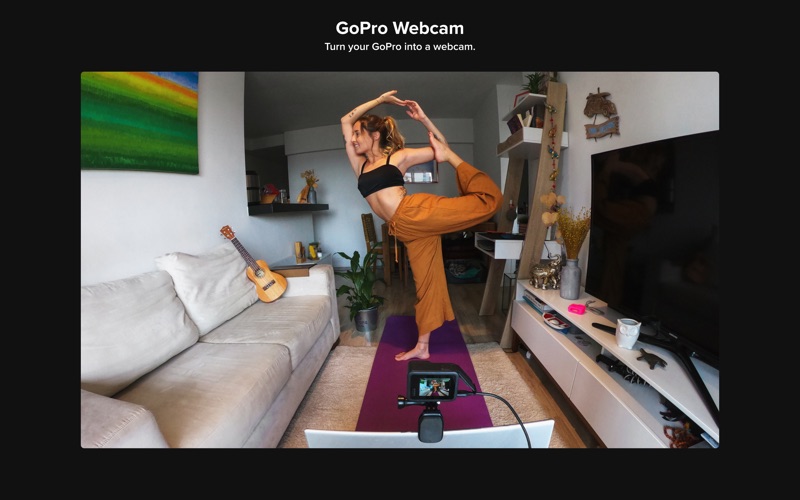
GoPro Webcam turns your camera into a webcam for Zoom, WebEx, YouTube, Discord, and other meeting and streaming platforms (see complete list below). With a GoPro, your stream is captured in rich 1080p wide-angle with digital lenses that ca…
Release notes parsed from trusted records and kept on this page. History provides context; a future Watch alert starts from a fresh baseline.
Added support for macOS Sequoia
Be the first to request it
Request the same source-linked purchase brief shown in the completed example below. Your email starts the request and receives the result.
Want it sooner? Independent demand changes queue priority.
Completed example · CleanShot X data
Everything below belongs to CleanShot X. It is a real, completed example—not research about GoPro Webcam.

CleanShot X
Example data
 Completed research example
Most repeated positive
13authors
“cleanshotx - scrolling screenshots is much more robust.”Evidence: r/macapps · Shottr vs CleanShot X in 2026. Which one are you actually sticking with?
Most repeated concern
16authors
“I don't think it makes sense to spend the money for Cleanshot when other apps do most of what it does for a lot less or free.”Evidence: r/macapps · Shottr vs CleanShot X in 2026. Which one are you actually sticking with?
Product context
Official or maker-supplied product information. It is kept separate from buyer evidence and independent purchase verification.
GoPro Webcam turns your camera into a webcam for Zoom, WebEx, YouTube, Discord, and other meeting and streaming platforms (see complete list below). With a GoPro, your stream is captured in rich 1080p wide-angle with digital lenses that can be orientated in landscape or portrait. Whatever your desk setup is, GoPro's extensive mounting ecosystem enables mounting solutions for almost any arrangement. Easily switch between multiple webcams for different shots and angles. You can even generate composite shots with Open Broadcasting Software.
---KEY FEATURES---
HIGH-QUALITY VIDEO Get a high-quality 1080p 30fps video image that will impress your audience.
WIDE ANGLE Share more of your surroundings to create an immersive experience.
CONTROL HOW MUCH THEY SEE Wide, linear, and narrow digital lenses allow you to change the field of view easily.
ORIENTATION Choose between landscape and portrait, and properly orientate inverted camera setups.
GET THE SHOT Tap into GoPro’s expansive mounting ecosystem and find the perfect mount for your set-up.
MULTI-CAM Easily switch between multiple cameras to follow the action and engage your audience with different views.
OPEN BROADCAST SOFTWARE Compatible with OBS to generate composite shots for gaming and vlogging.
VIRTUAL BACKGROUNDS Works with blur and virtual background features offered by video conferencing platforms.
GoPro CAMERAS SUPPORTED Works with GoPro HERO 8 Black and newer cameras, including HERO12/11/10/9/8 Black (HERO11 Mini and MAX are not supported).
Compatible with most webcam and streaming applications, including: - YouTube Live - Zoom - Webex - Slack - Google Meet - Microsoft Teams - Skype - Twitch - via OBS - BlueJeans - GoTo Meeting - Facebook Rooms - Discord - Snap Camera - Facetime
Works with: - macOS 13 and later
Added support for macOS Sequoia
More Photo & Video apps from the directory.


