Most repeated positive
13authors
A complete feature set
“cleanshotx - scrolling screenshots is much more robust.”Evidence: r/macapps · Shottr vs CleanShot X in 2026. Which one are you actually sticking with?

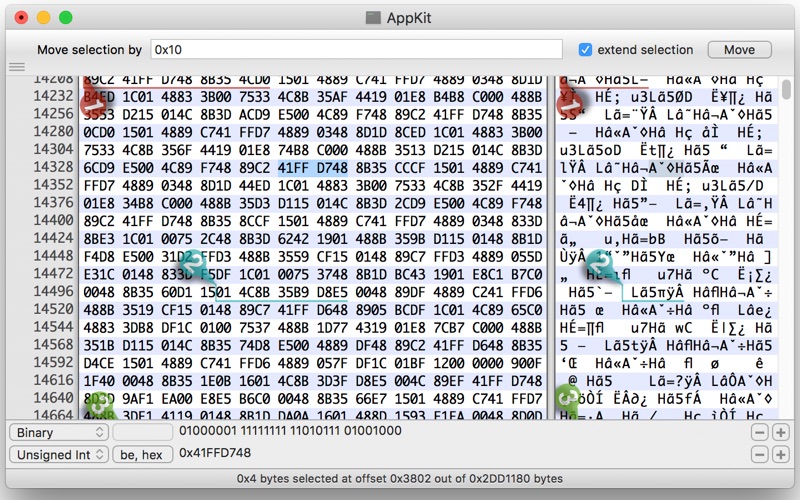
Hex Fiend is a fast, lean, and powerful hex editor built just for the Mac. - Insert, delete, rearrange. Hex Fiend does not limit you to in-place changes like some hex editors. - Work with huge files. Hex Fiend can handle as big a file as y…
Release notes parsed from trusted records and kept on this page. History provides context; a future Watch alert starts from a fresh baseline.
Add sectioncollapse command and -collapsed option to section command (thanks @ahelsley) Fix a crash on Apple Silicon (thanks @mredig) Left-align template errors and use a fixed width font (thanks @tbartelmess) Add sectionname command (thanks @fosterbrereton) Support symbolic links in the templates directory (thanks @fosterbrereton) Add include command (thanks @fosterbrereton) Add Data Inspector support for all integers sizes from 1 through 16 bytes (thanks @fosterbrereton) Add hf_min_version_required command (thanks @fosterbrereton)
Be the first to request it
Request the same source-linked purchase brief shown in the completed example below. Your email starts the request and receives the result.
Want it sooner? Independent demand changes queue priority.
Completed example · CleanShot X data
Everything below belongs to CleanShot X. It is a real, completed example—not research about Hex Fiend.

CleanShot X
Example data
 Completed research example
Most repeated positive
13authors
“cleanshotx - scrolling screenshots is much more robust.”Evidence: r/macapps · Shottr vs CleanShot X in 2026. Which one are you actually sticking with?
Most repeated concern
16authors
“I don't think it makes sense to spend the money for Cleanshot when other apps do most of what it does for a lot less or free.”Evidence: r/macapps · Shottr vs CleanShot X in 2026. Which one are you actually sticking with?
Product context
Official or maker-supplied product information. It is kept separate from buyer evidence and independent purchase verification.
Hex Fiend is a fast, lean, and powerful hex editor built just for the Mac.
- Insert, delete, rearrange. Hex Fiend does not limit you to in-place changes like some hex editors.
- Work with huge files. Hex Fiend can handle as big a file as you’re able to create.
- Small footprint. Hex Fiend does not keep your files in memory. You won’t dread launching or working with Hex Fiend even on low-RAM machines.
- Fast. Open a huge file, scroll around, copy and paste, all instantly. Find what you’re looking for with fast searching.
- Binary diff. Hex Fiend can show the differences between files, taking into account insertions or deletions.
- Smart saving. Hex Fiend knows not to waste time overwriting the parts of your files that haven’t changed, and never needs temporary disk space.
Add sectioncollapse command and -collapsed option to section command (thanks @ahelsley) Fix a crash on Apple Silicon (thanks @mredig) Left-align template errors and use a fixed width font (thanks @tbartelmess) Add sectionname command (thanks @fosterbrereton) Support symbolic links in the templates directory (thanks @fosterbrereton) Add include command (thanks @fosterbrereton) Add Data Inspector support for all integers sizes from 1 through 16 bytes (thanks @fosterbrereton) Add hf_min_version_required command (thanks @fosterbrereton)
More Developer Tools apps from the directory.