Most repeated positive
13authors
A complete feature set
“cleanshotx - scrolling screenshots is much more robust.”Evidence: r/macapps · Shottr vs CleanShot X in 2026. Which one are you actually sticking with?

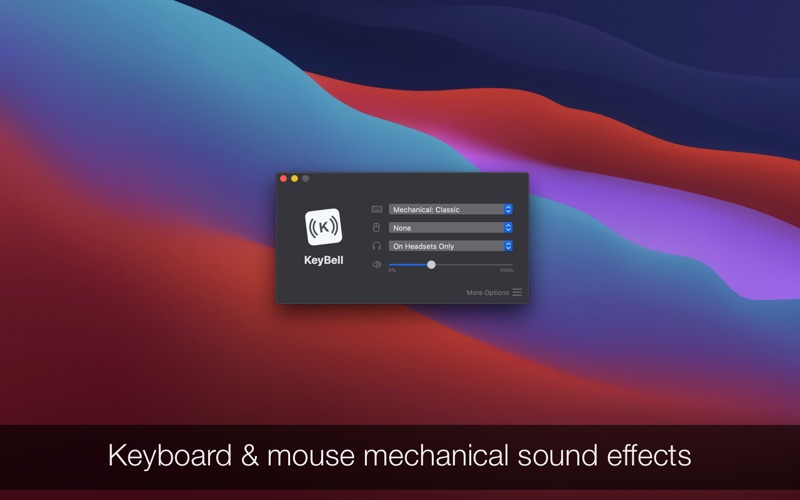
You will fall in love with this utility app. KeyBell plays a relaxing and nostalgic mechanical sound every time you type something on your keyboard. You can choose from multiple sound profiles, including modern ones and the app stays in th…
Release notes parsed from trusted records and kept on this page. History provides context; a future Watch alert starts from a fresh baseline.
Be the first to request it
Request the same source-linked purchase brief shown in the completed example below. Your email starts the request and receives the result.
Want it sooner? Independent demand changes queue priority.
Completed example · CleanShot X data
Everything below belongs to CleanShot X. It is a real, completed example—not research about KeyBell • Mechanical keyboard.

CleanShot X
Example data
 Completed research example
Most repeated positive
13authors
“cleanshotx - scrolling screenshots is much more robust.”Evidence: r/macapps · Shottr vs CleanShot X in 2026. Which one are you actually sticking with?
Most repeated concern
16authors
“I don't think it makes sense to spend the money for Cleanshot when other apps do most of what it does for a lot less or free.”Evidence: r/macapps · Shottr vs CleanShot X in 2026. Which one are you actually sticking with?
Product context
Official or maker-supplied product information. It is kept separate from buyer evidence and independent purchase verification.
You will fall in love with this utility app. KeyBell plays a relaxing and nostalgic mechanical sound every time you type something on your keyboard. You can choose from multiple sound profiles, including modern ones and the app stays in the background without ever interrupting you from your workflow.
It works on your entire Mac, on all apps, including Mail, Office, Pages, Notes or browsers.
It's perfect if you write a lot on your computer because the sound feedback gives you a productivity boost and you will want to type even more. It's designed for journalists, writers, bloggers, programmers or anyone who wants to change the boring and silent keyboards.
FEATURES • Receive keyboard typing and mouse clicks feedback (sound effects) in any app from your computer • Select from more than 25 sound profiles organised in 5 categories: Mechanical Keyboards, Typewriters, Electronics, Fun and Mouse clicks • Custom profiles for applications - deactivate or play different feedbacks for different applications • Automatically enable the app when you have the headphones on, only on speakers or anytime • Configurable hotkeys for activation, volume and other actions • Very effective and addicting productivity tool • Small utility, easy to understand and use
SUPPORT We read your support emails every day, day by day. Write with confidence any question, feedback or complaint and you will receive an answer in a very short period of time.
• Bug fixes and improvements
More Entertainment apps from the directory.


