Most repeated positive
13authors
A complete feature set
“cleanshotx - scrolling screenshots is much more robust.”Evidence: r/macapps · Shottr vs CleanShot X in 2026. Which one are you actually sticking with?

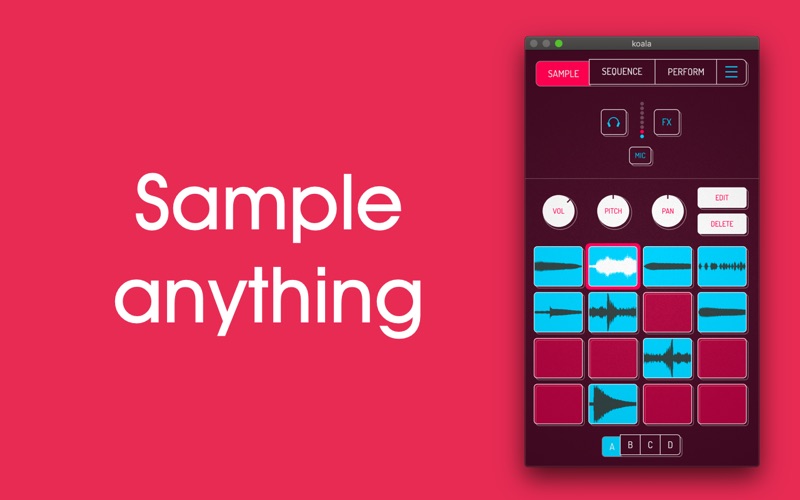
Koala is the ultimate pocket-sized sampler on iOS, now available for Mac. Record anything with your computer's mic instantly. Use Koala to create beats with those samples, add effects and create a track! Koala’s super intuitive interface h…
Release notes parsed from trusted records and kept on this page. History provides context; a future Watch alert starts from a fresh baseline.
Be the first to request it
Request the same source-linked purchase brief shown in the completed example below. Your email starts the request and receives the result.
Want it sooner? Independent demand changes queue priority.
Completed example · CleanShot X data
Everything below belongs to CleanShot X. It is a real, completed example—not research about Koala Sampler.

CleanShot X
Example data
 Completed research example
Most repeated positive
13authors
“cleanshotx - scrolling screenshots is much more robust.”Evidence: r/macapps · Shottr vs CleanShot X in 2026. Which one are you actually sticking with?
Most repeated concern
16authors
“I don't think it makes sense to spend the money for Cleanshot when other apps do most of what it does for a lot less or free.”Evidence: r/macapps · Shottr vs CleanShot X in 2026. Which one are you actually sticking with?
Product context
Official or maker-supplied product information. It is kept separate from buyer evidence and independent purchase verification.
Koala is the ultimate pocket-sized sampler on iOS, now available for Mac. Record anything with your computer's mic instantly. Use Koala to create beats with those samples, add effects and create a track!
Koala’s super intuitive interface helps you make a tracks in a flash, there is no brake pedal. You can also resample the output of the app back into the output, through the effects, so the sonic possibilities are endless.
Koala's design focuses totally on making the music making progress instant, keeping you in the flow and keeping it fun, not getting bogged down by pages of parameters and micro-editing.
* Record up to 64 different samples with your computer's mic * Transform your voice or any other sound with 16 superb built-in fx * Resample the output of the app back into a new sample * Export loops or entire tracks as professional quality WAV files * Copy/paste or merge sequences just by dragging them * Create beats with the high-resolution sequencer * Import samples by dragging them onto koala's window * Keyboard mode lets you play chromatically or one of 9 scales * Quantize, add swing to get the right feel * Normal/One-shot/Reverse playback of samples * Add any (or all) of the 8 effects to the entire mix * MIDI controllable - play your samples on a keyboard
8 Built-in Microphone FX: * More Bass * More Treble * Fuzz * Robot * Reverb * Octave up * Octave down * Synthesizer
16 Built-in DJ Mix FX: * Bit-crusher * Pitch-shift * Comb filter * Ring modulator * Reverb * Stutter * Gate * Resonant High/Low Pass Filters * Cutter * Reverse * Dub * Tempo Delay * Talkbox * VibroFlange * Dirty * Compressor
- now you can host AUv3, VST3 and Clap effect and instrument plugins - new isolator bus effect
More Music apps from the directory.


