Most repeated positive
13authors
A complete feature set
“cleanshotx - scrolling screenshots is much more robust.”Evidence: r/macapps · Shottr vs CleanShot X in 2026. Which one are you actually sticking with?

Motion is now part of Apple Creator Studio, an amazing collection of Apple’s most powerful creative apps designed to help you bring your ideas to life. The suite includes Final Cut Pro, Logic Pro, Pixelmator Pro, Motion, Compressor, and Ma…
Release notes parsed from trusted records and kept on this page. History provides context; a future Watch alert starts from a fresh baseline.
What’s New
Be the first to request it
Request the same source-linked purchase brief shown in the completed example below. Your email starts the request and receives the result.
Want it sooner? Independent demand changes queue priority.
Completed example · CleanShot X data
Everything below belongs to CleanShot X. It is a real, completed example—not research about Motion: Animate Effects.

CleanShot X
Example data
 Completed research example
Most repeated positive
13authors
“cleanshotx - scrolling screenshots is much more robust.”Evidence: r/macapps · Shottr vs CleanShot X in 2026. Which one are you actually sticking with?
Most repeated concern
16authors
“I don't think it makes sense to spend the money for Cleanshot when other apps do most of what it does for a lot less or free.”Evidence: r/macapps · Shottr vs CleanShot X in 2026. Which one are you actually sticking with?
Product context
Official or maker-supplied product information. It is kept separate from buyer evidence and independent purchase verification.
Motion is now part of Apple Creator Studio, an amazing collection of Apple’s most powerful creative apps designed to help you bring your ideas to life. The suite includes Final Cut Pro, Logic Pro, Pixelmator Pro, Motion, Compressor, and MainStage — plus premium content and intelligence features in Keynote, Pages, Numbers, and Freeform, all in one simple plan.
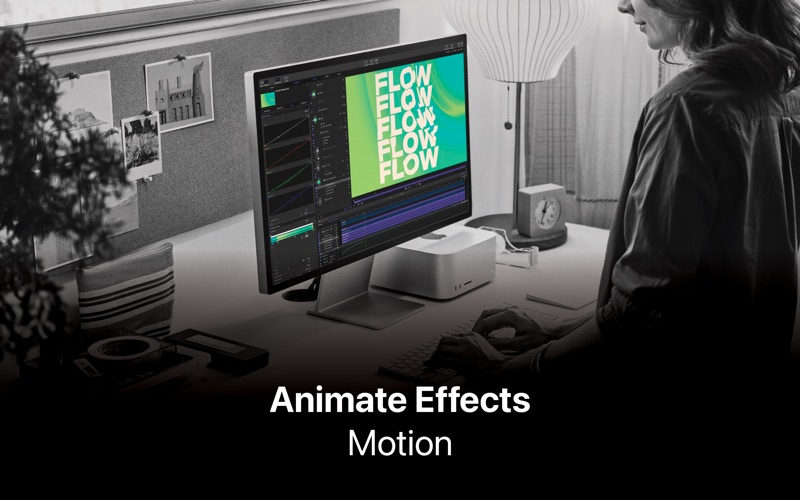
Designed for video editors, Motion is a powerful motion graphics tool that makes it easy to create cinematic 2D and 3D titles, fluid transitions, and realistic effects in real time.
2D and 3D Titles • Import 360° media and design 360° titles, generators, and effects • Build 3D titles from scratch, design them with easy-to-use templates, or instantly convert any existing 2D title to 3D • Easily create beautiful titles that you can animate using more than 100 drag-and-drop behaviors and intuitive text animation tools • Customize 3D titles to create endless looks with over 90 Apple-designed 3D materials including metal, wood, and stone surfaces
Motion Graphics for Final Cut Pro • Save any title, effect, transition, or generator and access it directly in Final Cut Pro • Customize Final Cut Pro titles, effects, and transitions by opening them in Motion • Create Motion Templates with any combination of single parameters and rigs that let you control a group of parameters with a slider, pop-up menu, or checkbox in Final Cut Pro • Use Display Aspect Ratio snapshots to create templates that support multiple aspect ratios
Stunning Effects • Choose from more than 230 behaviors for natural animation without keyframes • Change focus points or the depth effect for video shot in Cinematic mode on iPhone • Design your own particle emitters or choose from 200 presets for real-world effects like smoke and sparkles • Use professional masking tools to quickly draw and adjust control points for rotoscoping • Automatically detect, track, and match the movement of faces or objects using machine learning • Choose between different tracking analysis types • Add the Neon filter to easily add a neon glow to text, shapes, video, stills, and more • Harness an ecosystem of third-party FxPlug plug-ins for tasks like advanced tracking, advanced motion graphics, and more
Effortless 3D • Transition from 2D to 3D space by adding cameras • Create 3D scenes within a 360° project for ultra-realistic 360° environments • Set up realistic shadows that animate dynamically with the movement of cameras and lights • Turn any shape, video plane, or paint stroke into a reflective surface in 3D space • Import third-party USDZ objects or use one of 60 premade objects in the Motion Library
Breakthrough Speed, Quality, and Output • Import wide color HDR images, view them on supported Mac computers, and export in standard Rec. 709 or wide Rec. 2020 color space • Unrivaled speed and efficiency with optimizations for the latest generation of Apple silicon
System Requirements: macOS 15.6 or later, 8 GB of memory (16 GB recommended), Metal-capable graphics card (Intel-based Mac computers only), 5.2 GB of available disk space. Some features require internet access; fees may apply.
What’s New • Import SVG files that scale to any size and keep graphics razor-sharp at any resolution • Take command of your timeline with intuitive new controls that let you instantly stagger, cascade, or reverse clips to build complex animations in seconds • Work faster and stay focused with performance updates that keep your workflow fluid and responsive
More Photo & Video apps from the directory.


