Most repeated positive
13authors
A complete feature set
“cleanshotx - scrolling screenshots is much more robust.”Evidence: r/macapps · Shottr vs CleanShot X in 2026. Which one are you actually sticking with?

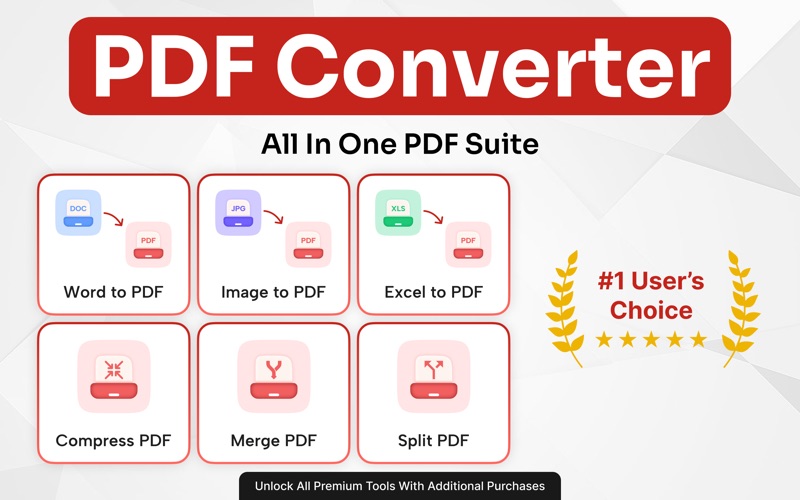
Elevate your workflow with our all-in-one PDF Converter, designed for professionals, students, and anyone who values speed, security, and precision. Transform, organize, and protect your documents effortlessly, all within one intelligent a…
Release notes parsed from trusted records and kept on this page. History provides context; a future Watch alert starts from a fresh baseline.
-Bug Fixes -Performance Improvements
Be the first to request it
Request the same source-linked purchase brief shown in the completed example below. Your email starts the request and receives the result.
Want it sooner? Independent demand changes queue priority.
Completed example · CleanShot X data
Everything below belongs to CleanShot X. It is a real, completed example—not research about PDF Converter :Editor & Reader.

CleanShot X
Example data
 Completed research example
Most repeated positive
13authors
“cleanshotx - scrolling screenshots is much more robust.”Evidence: r/macapps · Shottr vs CleanShot X in 2026. Which one are you actually sticking with?
Most repeated concern
16authors
“I don't think it makes sense to spend the money for Cleanshot when other apps do most of what it does for a lot less or free.”Evidence: r/macapps · Shottr vs CleanShot X in 2026. Which one are you actually sticking with?
Product context
Official or maker-supplied product information. It is kept separate from buyer evidence and independent purchase verification.
Elevate your workflow with our all-in-one PDF Converter, designed for professionals, students, and anyone who values speed, security, and precision. Transform, organize, and protect your documents effortlessly, all within one intelligent app. With a modern, intuitive design and advanced conversion technology, you can easily convert Word, Excel, PowerPoint, or image files to PDF and back without losing quality or formatting. Compress large files, merge reports, lock sensitive data, or split pages instantly.
App Highlights: • Universal File Conversion: Convert Word, Excel, PowerPoint, JPG, PNG, HTML, and TXT files to PDF or turn PDFs back into editable formats such as DOCX, XLSX, and PPTX in seconds. • Advanced File Optimization: Compress PDFs without sacrificing quality, reducing file size for faster uploads and easier sharing. • Complete PDF Control: Merge multiple PDFs into one, split large files, delete pages, or rearrange content with total flexibility. • Enhanced Document Security: Lock confidential files with passwords or unlock secured PDFs when needed. Your privacy is always protected. • Flawless Formatting: Preservation Keep every font, layout, and image perfectly intact, no matter the conversion type. • Cross-Platform Compatibility: Easily share and access your files anywhere, at home, school, or work, with universal PDF support.
Flexible Subscription Pricing: * Weekly Subscription: $4.99 (1 week) * Monthly Subscription: $9.99 (1 month) * Yearly Subscription: $39.99 (1 year) Unlock unlimited access to our PDF Converter with flexible plans: Weekly, Monthly, Yearly, or Lifetime. Enjoy a 3-day free trial with Monthly and Yearly plans. Cancel anytime before the trial ends. Premium Features: Convert PDFs to/from Word, Excel, PowerPoint, JPG, PNG, HTML, TXT and more. Compress files without losing quality Upgrade today for a seamless, professional PDF experience.
Important Information : Subscriptions automatically renew unless auto-renew is turned off at least 24 hours before the end of the current billing period. Your iTunes account will be charged at the time of purchase and again within 24 hours before the subscription renews. The renewal will be charged at the same rate as the original plan. You can manage or cancel your subscription at any time through your App Store account settings. Additional purchase is required to use all tools and features.
By using this app, you agree to the following: * Our Terms of Use (https://sites.google.com/view/hirarazzaqapps/terms-of-use) * Our Privacy Policy (https://sites.google.com/view/hirarazzaqapps/privacy-policy) * Apple’s standard End User License Agreement (EULA)
-Bug Fixes -Performance Improvements
More Business apps from the directory.