Most repeated positive
13authors
A complete feature set
“cleanshotx - scrolling screenshots is much more robust.”Evidence: r/macapps · Shottr vs CleanShot X in 2026. Which one are you actually sticking with?

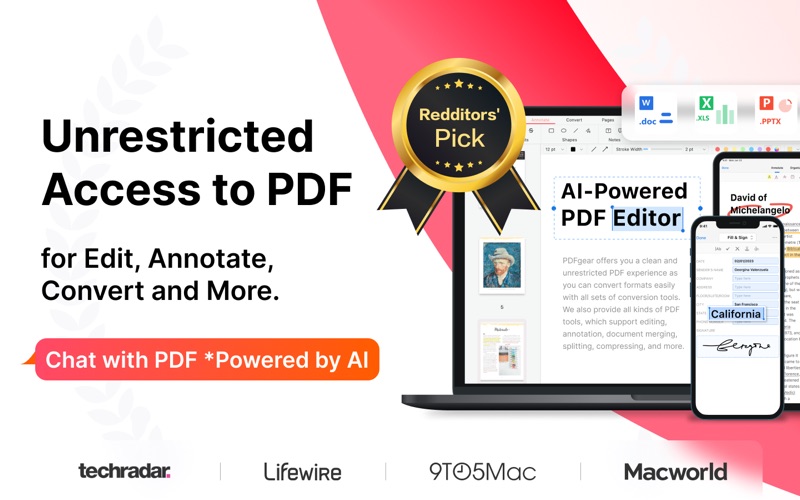
PDFgear is a full-featured and free PDF editor, which provides read, edit, annotation, convert, sign, combine, merge, compress, page management, encrypt, and print PDF documents. "It’s called PDFgear, and it’s a holy grail I never thought…
Release notes parsed from trusted records and kept on this page. History provides context; a future Watch alert starts from a fresh baseline.
Enhanced the Read Aloud feature with improved performance and playback quality.
Be the first to request it
Request the same source-linked purchase brief shown in the completed example below. Your email starts the request and receives the result.
Want it sooner? Independent demand changes queue priority.
Completed example · CleanShot X data
Everything below belongs to CleanShot X. It is a real, completed example—not research about PDFgear: PDF Editor & Reader.

CleanShot X
Example data
 Completed research example
Most repeated positive
13authors
“cleanshotx - scrolling screenshots is much more robust.”Evidence: r/macapps · Shottr vs CleanShot X in 2026. Which one are you actually sticking with?
Most repeated concern
16authors
“I don't think it makes sense to spend the money for Cleanshot when other apps do most of what it does for a lot less or free.”Evidence: r/macapps · Shottr vs CleanShot X in 2026. Which one are you actually sticking with?
Product context
Official or maker-supplied product information. It is kept separate from buyer evidence and independent purchase verification.
PDFgear is a full-featured and free PDF editor, which provides read, edit, annotation, convert, sign, combine, merge, compress, page management, encrypt, and print PDF documents.
"It’s called PDFgear, and it’s a holy grail I never thought I’d find." - Digital Trends "PDFgear is a full toolkit for doing pretty much anything you could want to do with a PDF." - Lifewire "Simply open the file in PDFgear and you have access to everything you’ll need." - MacWorld
PDFgear is a full-featured, easy-to-use, and free PDF Editor & PDF Reader. With practical functions like view, convert, form filling, and page reorganizing in PDFgear, the comprehensive PDF toolkit, users could handle their PDF files with more efficiency. PDFgear offers even more - merge and combine multiple documents, split PDF into several files, rotate page direction, add or delete pages, and even convert PDF to Word and many other formats.
PDFgear provides free use for all functions without any limits like trial watermark, page count, etc. The concise design brings users a satisfying experience, and the powerful performance makes the perfect document.
PDFgear will be the only PDF solution for you, and it will make your study and work easier to carry out PDFs!
VIEW & PRINT • View PDF in single-page or double-page display mode • Preview the thumbnails of pages easily • Dark Mode supported with native effect • Zoom in or out the PDF in a great range • Open recent PDFs conveniently • Search texts in PDFs rapidly and locate the texts precisely • Print PDFs directly from your device
Annotate PDF • Markup texts in PDF with highlight, underline & strikethrough in user-defined colors • Add Annotations by simply selecting texts in PDF • Create rectangles, circles, lines, arrows & free hands with customized colors • Insert Text Boxes and Notes into PDF with the font size and color you like
Stamp • Insert stamps at the place you want in PDFs • Add built-in stamps, including Approved, Confidential, Final, and more • Customize stamps with different content and colors
Signature • Create signatures using trackpad, keyboard, or images • Save up to five signatures to use conveniently
Bookmark • View bookmarks in the PDF, and direct to the place of the bookmark easily • Add bookmark at any place of PDF documents • Supports rename, delete, and expand/collapse bookmarks in PDF
PDF CONVERTER • Support native and cloud converter • PDF to Word, Excel, PNG, JPG, RTF, TXT, HTML & XML conversions • Create PDFs from Word, Excel, PPT, Image, RTF & TXT
PAGE EDITOR • Merge & split PDFs freely • Append pages from other PDF files to the existing one • Add new blank pages at the place you set • Extract pages from the PDF to create a new one • Rotate, reorder & delete pages
COMPRESS • Reduce PDF size to make the file lighter
Fill Forms • Fill out and save static PDF forms • Fill out PDF forms with interactive fields, such as text fields, checkboxes, list boxes, etc.
OCR • Conduct OCR on PDF documents or images in batch with ease • Different languages are included to make OCR more powerful • Export the results of OCR into one or separate files, or copy them in one click
Enhanced the Read Aloud feature with improved performance and playback quality.
More Business apps from the directory.


