Most repeated positive
13authors
A complete feature set
“cleanshotx - scrolling screenshots is much more robust.”Evidence: r/macapps · Shottr vs CleanShot X in 2026. Which one are you actually sticking with?

Record Go: Screen Recorder is a user-friendly and practical application for screen capture. No matter whether it is to record tutorials, courses, demonstrations, meetings, games, film/TV series, or videos, Record Go: Screen Recorder could…
Release notes parsed from trusted records and kept on this page. History provides context; a future Watch alert starts from a fresh baseline.
Optimizing for macOS Tahoe's new capabilities.
Be the first to request it
Request the same source-linked purchase brief shown in the completed example below. Your email starts the request and receives the result.
Want it sooner? Independent demand changes queue priority.
Completed example · CleanShot X data
Everything below belongs to CleanShot X. It is a real, completed example—not research about Record Go: Screen Recorder.

CleanShot X
Example data
 Completed research example
Most repeated positive
13authors
“cleanshotx - scrolling screenshots is much more robust.”Evidence: r/macapps · Shottr vs CleanShot X in 2026. Which one are you actually sticking with?
Most repeated concern
16authors
“I don't think it makes sense to spend the money for Cleanshot when other apps do most of what it does for a lot less or free.”Evidence: r/macapps · Shottr vs CleanShot X in 2026. Which one are you actually sticking with?
Product context
Official or maker-supplied product information. It is kept separate from buyer evidence and independent purchase verification.
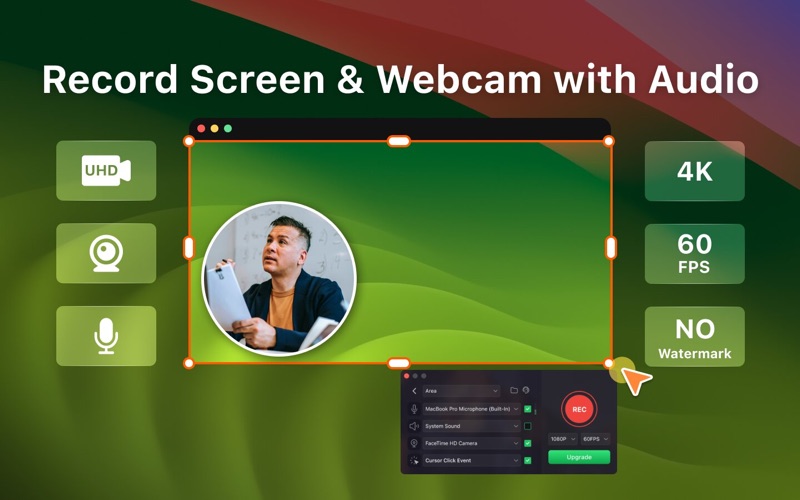
Record Go: Screen Recorder is a user-friendly and practical application for screen capture. No matter whether it is to record tutorials, courses, demonstrations, meetings, games, film/TV series, or videos, Record Go: Screen Recorder could always save your time and offer great convenience.
Key Features: • UHD Recording: Record the screen clearer with UHD resolution • Full-Screen Recording: Record full screen as you need • Area Recording: Customize the recording area easily • Windows Recording: Set a target window to record • Record Webcam: Support recording webcam in screen recordings or solely • Record Sound: Enable system sound, and microphone in recordings • Record Mouse Action: Record mouse click events in recordings • Manage Recordings: Manage all recordings in a list, and play recordings in one-click
Record Go provides several upgrade options for their PRO service, granting users access to all advanced features, including: Recording in 4K super quality video Recording a specific target window Using a virtual camera background
Upgrade to PRO to enjoy unlimited access with: A one-time purchase for lifetime access A yearly subscription Note: Prices may vary by location.
Terms of service: https://www.pdfgear.com/terms-conditions/ Privacy Policy: https://www.pdfgear.com/privacy/ Contact us at https://www.pdfgear.com/contact-us/
Optimizing for macOS Tahoe's new capabilities.
More Photo Editing apps from the directory.

