Most repeated positive
13authors
A complete feature set
“cleanshotx - scrolling screenshots is much more robust.”Evidence: r/macapps · Shottr vs CleanShot X in 2026. Which one are you actually sticking with?

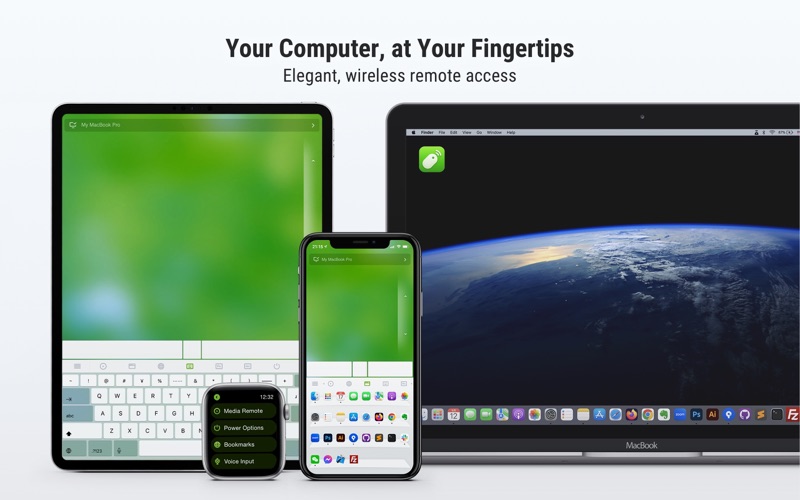
Turn your iPhone or iPad into a smart, wireless remote control for your Mac. Remote Mouse™ lets you use your mobile device as a trackpad, keyboard, and mouse, complete with multi-touch gestures and media controls—perfect for watching movie…
Release notes parsed from trusted records and kept on this page. History provides context; a future Watch alert starts from a fresh baseline.
Minor bug fixes
Be the first to request it
Request the same source-linked purchase brief shown in the completed example below. Your email starts the request and receives the result.
Want it sooner? Independent demand changes queue priority.
Completed example · CleanShot X data
Everything below belongs to CleanShot X. It is a real, completed example—not research about Remote Mouse.

CleanShot X
Example data
 Completed research example
Most repeated positive
13authors
“cleanshotx - scrolling screenshots is much more robust.”Evidence: r/macapps · Shottr vs CleanShot X in 2026. Which one are you actually sticking with?
Most repeated concern
16authors
“I don't think it makes sense to spend the money for Cleanshot when other apps do most of what it does for a lot less or free.”Evidence: r/macapps · Shottr vs CleanShot X in 2026. Which one are you actually sticking with?
Product context
Official or maker-supplied product information. It is kept separate from buyer evidence and independent purchase verification.
Turn your iPhone or iPad into a smart, wireless remote control for your Mac. Remote Mouse™ lets you use your mobile device as a trackpad, keyboard, and mouse, complete with multi-touch gestures and media controls—perfect for watching movies, controlling presentations, or simply lounging on the couch.
With over 20 million users and features on CNET, Mashable, and Product Hunt, Remote Mouse™ is one of the most elegant and intuitive remote control apps available today.
What you can do:
Mouse • Control the cursor like a real mouse • Move using your phone’s gyroscope (Gyro Mouse) • Left-handed mode support
Keyboard • Type remotely in any language • Use voice input (if supported by your soft keyboard) • Send system and app shortcuts • Adaptive layouts for Mac or PC
Touchpad • Simulates Apple Magic Trackpad • Supports multi-touch gestures
Specialty Panels • Media Remote: Control iTunes, VLC, PowerPoint, and more • Web Remote: Navigate Chrome, Firefox, and Opera • App Switcher: Launch and switch between apps • Power Options: Shut down, sleep, or restart remotely • Cross-device Clipboard: Copy and paste text/images across devices
Other features • Control volume using physical phone buttons • Secure the connection with a password • Reorder specialty panels • Customize your remote with personal wallpapers • Switch between light and dark mode
Easy to set up: \1. Download and install Remote Mouse Server on your Mac: https://remotemouse.net \2. Launch the server (it runs in the background) \3. Connect your iPhone or iPad to the same Wi-Fi
Love Remote Mouse? Rate us 5 stars to support small developers like us! Questions or feedback? Contact us anytime at support@remotemouse.net — we’d love to hear from you.
Minor bug fixes
More Device Controls apps from the directory.