Most repeated positive
13authors
A complete feature set
“cleanshotx - scrolling screenshots is much more robust.”Evidence: r/macapps · Shottr vs CleanShot X in 2026. Which one are you actually sticking with?

Screen Recorder: SC Recorder is a powerful and user-friendly Mac screen recording tool designed to capture anything on your screen with ease. Whether you need to record tutorials, meetings, online classes, or gameplay, SC Recorder provides…
Release notes parsed from trusted records and kept on this page. History provides context; a future Watch alert starts from a fresh baseline.
Be the first to request it
Request the same source-linked purchase brief shown in the completed example below. Your email starts the request and receives the result.
Want it sooner? Independent demand changes queue priority.
Completed example · CleanShot X data
Everything below belongs to CleanShot X. It is a real, completed example—not research about Screen Recorder: SC Recorder.

CleanShot X
Example data
 Completed research example
Most repeated positive
13authors
“cleanshotx - scrolling screenshots is much more robust.”Evidence: r/macapps · Shottr vs CleanShot X in 2026. Which one are you actually sticking with?
Most repeated concern
16authors
“I don't think it makes sense to spend the money for Cleanshot when other apps do most of what it does for a lot less or free.”Evidence: r/macapps · Shottr vs CleanShot X in 2026. Which one are you actually sticking with?
Product context
Official or maker-supplied product information. It is kept separate from buyer evidence and independent purchase verification.
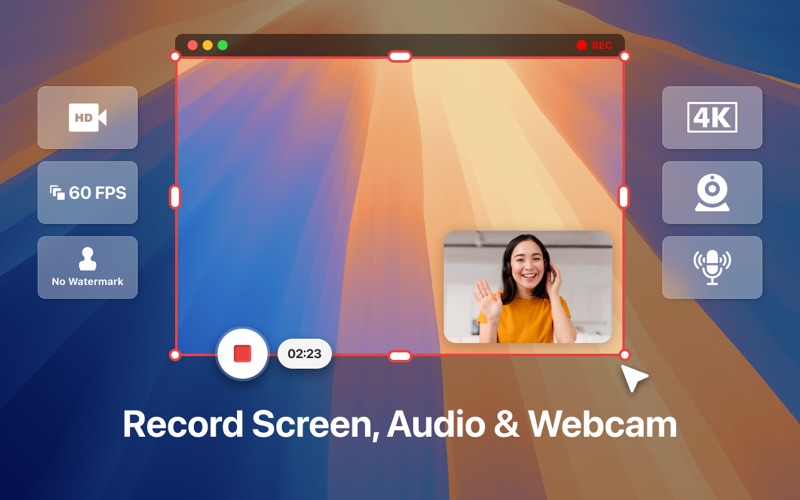
Screen Recorder: SC Recorder is a powerful and user-friendly Mac screen recording tool designed to capture anything on your screen with ease. Whether you need to record tutorials, meetings, online classes, or gameplay, SC Recorder provides a smooth and high-quality recording experience.
Why Choose SC Recorder? SC Recorder is built to simplify your screen recording process with an intuitive interface and advanced features. It allows you to switch screens effortlessly, customize video quality, and quickly share recordings with others.
Key Features: - Screen Recording Made Easy – Capture your screen with a single click. - Flexible Screen Selection – Easily switch between screens to record only what you need. - High-Quality Video Output – Record in HD (720P, 1080P, 2K, or 4K) for crystal-clear visuals. - Seamless Audio Capture – Record system sound, microphone, or both for a complete experience. - Record Without Limits – No time restrictions on recordings. - Smooth Gameplay Recording – Capture gameplay at 24, 30, or 60 FPS with minimal lag. - Easy Video Sharing – Share your recordings instantly via email, etc. - Optimized for macOS – Lightweight, fast, and optimized for macOS performance.
Perfect For: - Recording Online Meetings & Webinars - Capturing Gameplay in High FPS - Saving Online Classes & Lectures - Recording Streaming Content with Ease
Screen Recorder: SC Recorder is designed to be efficient, lightweight, and powerful, making it the perfect tool for professionals, students, gamers, and content creators. Download SC Recorder today and take control of your screen recordings effortlessly! Privacy policy : https://effervescent-dango-9b28d8.netlify.app/
- Bug fixed - Enhance the UI
More Photo & Video apps from the directory.


