Most repeated positive
13authors
A complete feature set
“cleanshotx - scrolling screenshots is much more robust.”Evidence: r/macapps · Shottr vs CleanShot X in 2026. Which one are you actually sticking with?

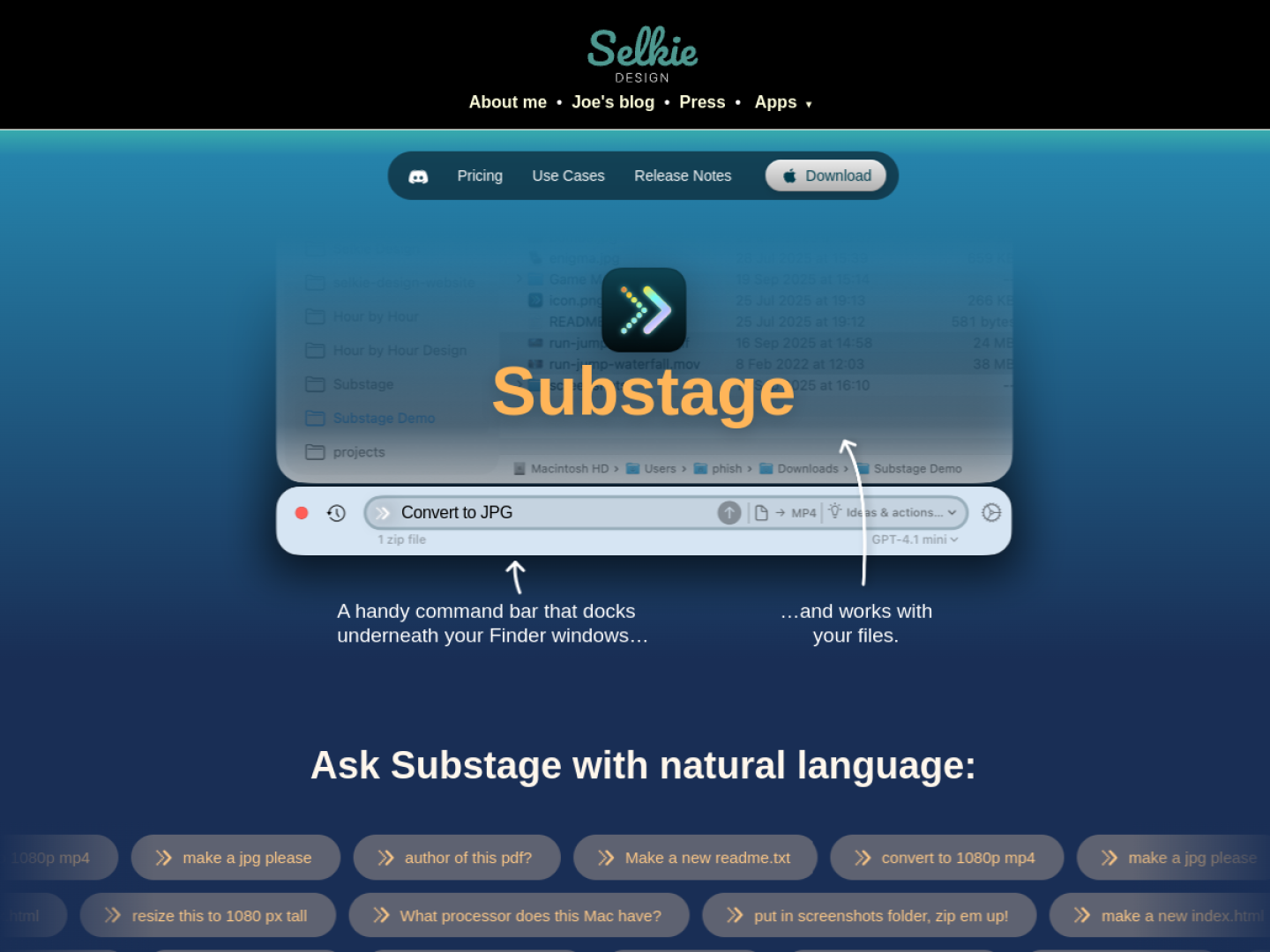
Run natural-language file operations from a command bar attached to Finder, with previews for conversion, organization, calculations, and terminal actions.
Release notes parsed from trusted records and kept on this page. History provides context; a future Watch alert starts from a fresh baseline.
No trusted release history yet.
We have not observed a structured App Store, Sparkle, GitHub, or package release for Substage. Future official changes can still establish a Watch baseline.
Be the first to request it
Request the same source-linked purchase brief shown in the completed example below. Your email starts the request and receives the result.
Want it sooner? Independent demand changes queue priority.
Completed example · CleanShot X data
Everything below belongs to CleanShot X. It is a real, completed example—not research about Substage.

CleanShot X
Example data
 Completed research example
Most repeated positive
13authors
“cleanshotx - scrolling screenshots is much more robust.”Evidence: r/macapps · Shottr vs CleanShot X in 2026. Which one are you actually sticking with?
Most repeated concern
16authors
“I don't think it makes sense to spend the money for Cleanshot when other apps do most of what it does for a lot less or free.”Evidence: r/macapps · Shottr vs CleanShot X in 2026. Which one are you actually sticking with?
Product context
Official or maker-supplied product information. It is kept separate from buyer evidence and independent purchase verification.
Substage docks beneath Finder windows and uses the current selection as context. Describe a single operation in natural language and it translates the request into a Terminal command. Typical jobs include converting images or video, inspecting metadata, reorganizing files, creating archives, and running small calculations. A global shortcut can show or hide the bar from anywhere.
Substage Predicts simulates a command and summarizes what it will create, change, move, delete, or send over the network. You decide which predictable operations can run automatically and which should always ask. If the result cannot be fully predicted, the app pauses for confirmation.
jpg or zip can bypass the AI model for supported common tasks.The maker positions Substage for quick, individual commands rather than multi-step agentic work. It supports hosted models, user-provided API keys, and local models through Ollama or LM Studio. Prompts and selected file paths may be sent to the chosen AI provider, but the official privacy explanation says Substage does not directly access or send file contents; Terminal output can be included when the app is asked to summarize it.
Recent conversations with a verified link to this App.

167 upvotes · 93 comments ·
17 upvotes · 22 comments ·
27 upvotes · 35 comments ·
139 upvotes · 54 comments ·
More Launchers & Search apps from the directory.
