Most repeated positive
13authors
A complete feature set
“cleanshotx - scrolling screenshots is much more robust.”Evidence: r/macapps · Shottr vs CleanShot X in 2026. Which one are you actually sticking with?

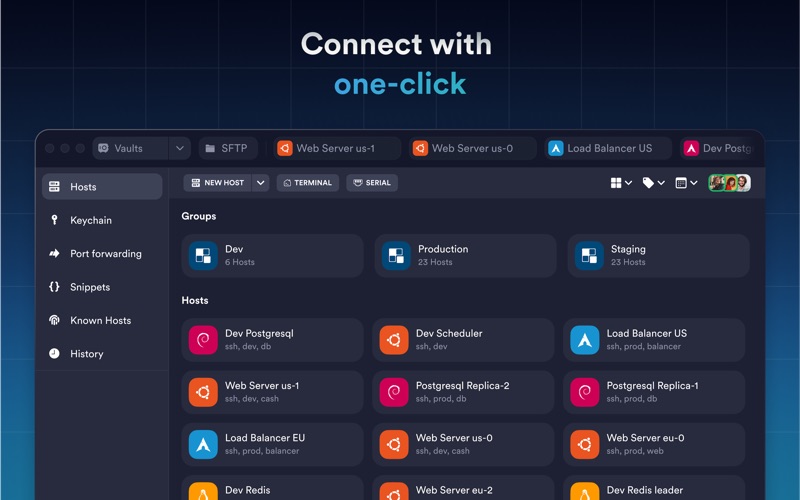
Termius is a modern SSH client designed for productivity and collaboration. Connect with one click from desktop and mobile—no re-entering IP addresses, ports, and passwords. With a free Termius Starter plan, you can: · Connect from your mo…
Release notes parsed from trusted records and kept on this page. History provides context; a future Watch alert starts from a fresh baseline.
Be the first to request it
Request the same source-linked purchase brief shown in the completed example below. Your email starts the request and receives the result.
Want it sooner? Independent demand changes queue priority.
Completed example · CleanShot X data
Everything below belongs to CleanShot X. It is a real, completed example—not research about Termius: SSH Client & Terminal.

CleanShot X
Example data
 Completed research example
Most repeated positive
13authors
“cleanshotx - scrolling screenshots is much more robust.”Evidence: r/macapps · Shottr vs CleanShot X in 2026. Which one are you actually sticking with?
Most repeated concern
16authors
“I don't think it makes sense to spend the money for Cleanshot when other apps do most of what it does for a lot less or free.”Evidence: r/macapps · Shottr vs CleanShot X in 2026. Which one are you actually sticking with?
Product context
Official or maker-supplied product information. It is kept separate from buyer evidence and independent purchase verification.
Termius is a modern SSH client designed for productivity and collaboration. Connect with one click from desktop and mobile—no re-entering IP addresses, ports, and passwords.
With a free Termius Starter plan, you can:
· Connect from your mobile and desktop device with SSH, Mosh, Telnet, Port Forwarding, and SFTP. · Work in several sessions simultaneously with a multi-tab interface and split-view support. · Customize your terminal themes and fonts for each connection. · Save your favorite and frequently used commands and shell scripts to execute them with a tap instead of typing. · Run your saved commands on multiple sessions or servers, or instantly get them autocompleted in the terminal. · Quickly access the global history of your terminal commands. · Authenticate using hardware FIDO2 keys. · Get the support of ECDSA and ed25519 keys as well as a chacha20-poly1305 cipher. · Ad-free.
With the Termius Pro plan, you can also:
· Access your connection settings and credentials from any device at any time with an encrypted cloud vault. · No limitations on the number of devices to sync. · Connect to your hardware via Serial Cable. · Connect through Proxy and jump servers. · Set custom environment variables. · Integrate with AWS, DigitalOcean, and Azure. · Protect your credentials with Touch ID or Face ID and your account with two-factor authentication. · Keep your keys on your machine with SSH agent forwarding.
Termius reinvents the command-line experience. We strive to make remote access for admins and engineers more productive and enjoyable.
Please review our privacy policy https://termius.com/privacy\_policy.html and terms of use https://termius.com/terms\_of\_use.html
- Improved app performance when working with the Host Edit form. - Patched libssh2 for CVE-2026-55200. - Fixed an issue that prevented sessions added to workspaces from reconnecting automatically. - Other stability and UI improvements.
More Developer Tools apps from the directory.


