Most repeated positive
13authors
A complete feature set
“cleanshotx - scrolling screenshots is much more robust.”Evidence: r/macapps · Shottr vs CleanShot X in 2026. Which one are you actually sticking with?

Verizon One Talk: Voice, video and messaging business solution Your business is constantly evolving, so you need a phone and collaboration solution that can keep up. We have you covered for how you work today and in the future. One Talk is…
Release notes parsed from trusted records and kept on this page. History provides context; a future Watch alert starts from a fresh baseline.
Fixes for voicemail greetings and visual voicemail display
Be the first to request it
Request the same source-linked purchase brief shown in the completed example below. Your email starts the request and receives the result.
Want it sooner? Independent demand changes queue priority.
Completed example · CleanShot X data
Everything below belongs to CleanShot X. It is a real, completed example—not research about Verizon One Talk for Desktop.

CleanShot X
Example data
 Completed research example
Most repeated positive
13authors
“cleanshotx - scrolling screenshots is much more robust.”Evidence: r/macapps · Shottr vs CleanShot X in 2026. Which one are you actually sticking with?
Most repeated concern
16authors
“I don't think it makes sense to spend the money for Cleanshot when other apps do most of what it does for a lot less or free.”Evidence: r/macapps · Shottr vs CleanShot X in 2026. Which one are you actually sticking with?
Product context
Official or maker-supplied product information. It is kept separate from buyer evidence and independent purchase verification.
Verizon One Talk: Voice, video and messaging business solution
Your business is constantly evolving, so you need a phone and collaboration solution that can keep up. We have you covered for how you work today and in the future.
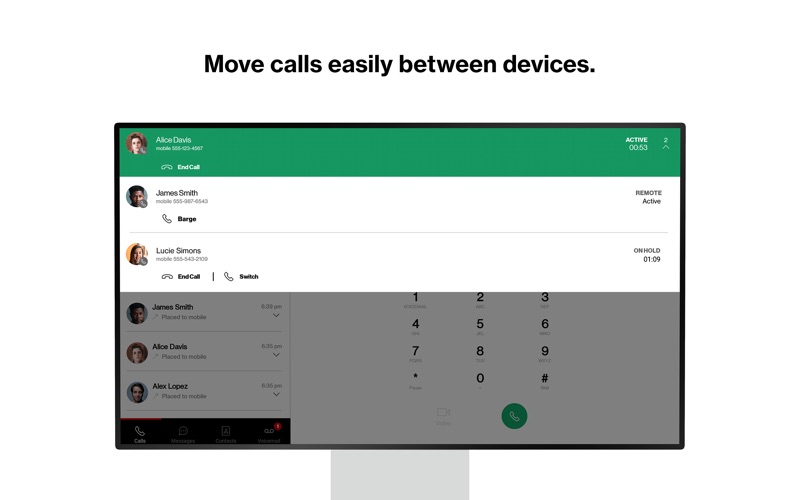
One Talk is a mobile-first business phone solution built for how you work today, allowing you to connect with customers, employees and others in the office or on-the-go. Easily manage 50+ business and user features from the Verizon One Talk web portal or mobile app.
One Talk includes multiple user device & app options:
* Smartphone Native Dialer. Connect mobile employees to the office and customers from their smartphone native keypad— all over the reliable and award-winning Verizon network. * Desk, conference, and cordless phones. Enhance calling and collaboration with a range of Voice over Internet Protocol (VoIP) phones, including the nation’s first 4G cellular enabled desk phone, and accessories for your office-based employees. * Mobile App for smartphones and tablets. Enable employees using business-owned or personal smartphones and tablets (including other carrier devices) to access One Talk features from a single number. * Desktop App for computers. Easily make and receive voice/ video calls and SMS/text messages on your computer (PC or Mac®), similar to using your smartphone. One Talk has 50+ powerful features to enhance communications, providing: * Anywhere calling. Provide flexibility and a better calling experience with business-grade features like Caller ID and Simultaneous Ring. * Easy collaboration. Boost your employees’ ability to collaborate more effectively with messaging (chat, SMS and IM) and video conferencing from BlueJeans by Verizon on a single unified app. * Engaging customer experience. Connect callers to the people they need with features like Auto Receptionist, Hunt Groups and more.
Get started:
\1. Subscribe to the Verizon One Talk service \2. Install the One Talk app. Enter your One Talk phone number. Request PIN \3. An email will be sent to the email associated with your number with an activation PIN. Enter your PIN and complete setup \4. Start using the One Talk App for calling, video and messaging.
One Talk Terms and Conditions Apply. See OneTalk.com for more information.
Fixes for voicemail greetings and visual voicemail display
More Business apps from the directory.