Most repeated positive
13authors
A complete feature set
“cleanshotx - scrolling screenshots is much more robust.”Evidence: r/macapps · Shottr vs CleanShot X in 2026. Which one are you actually sticking with?

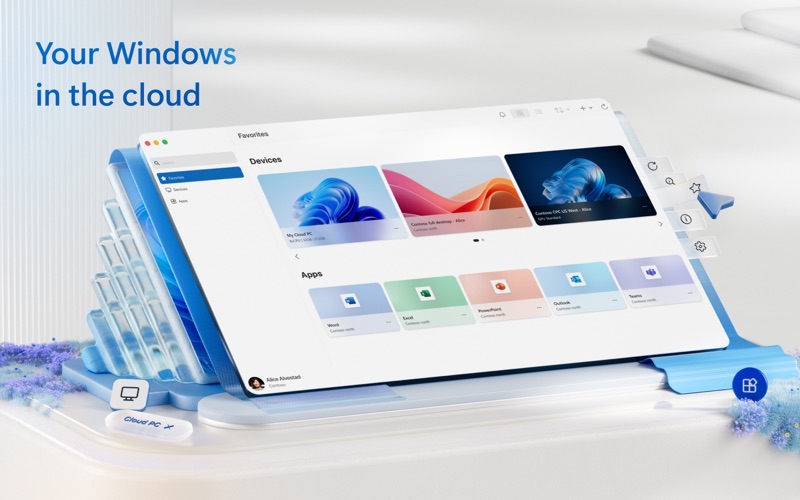
Windows App for Mac (previously named Microsoft Remote Desktop) is your gateway to securely connect to Windows including remote PCs and admin-provided virtual apps and desktops across Windows 365, Azure Virtual Desktop, Dev Box and Remote…
Release notes parsed from trusted records and kept on this page. History provides context; a future Watch alert starts from a fresh baseline.
In this release we made the following updates:
If you encounter any errors, you can contact us via Help > Submit Feedback.
Be the first to request it
Request the same source-linked purchase brief shown in the completed example below. Your email starts the request and receives the result.
Want it sooner? Independent demand changes queue priority.
Completed example · CleanShot X data
Everything below belongs to CleanShot X. It is a real, completed example—not research about Windows App.

CleanShot X
Example data
 Completed research example
Most repeated positive
13authors
“cleanshotx - scrolling screenshots is much more robust.”Evidence: r/macapps · Shottr vs CleanShot X in 2026. Which one are you actually sticking with?
Most repeated concern
16authors
“I don't think it makes sense to spend the money for Cleanshot when other apps do most of what it does for a lot less or free.”Evidence: r/macapps · Shottr vs CleanShot X in 2026. Which one are you actually sticking with?
Product context
Official or maker-supplied product information. It is kept separate from buyer evidence and independent purchase verification.
Windows App for Mac (previously named Microsoft Remote Desktop) is your gateway to securely connect to Windows including remote PCs and admin-provided virtual apps and desktops across Windows 365, Azure Virtual Desktop, Dev Box and Remote Desktop Services.
Embrace the simplicity of a unified client with Windows App and connect to Windows in the cloud with ease and security, from the device of your choice.
GET STARTED
• Learn more about the features of Windows App at https://aka.ms/WindowsApp. • Configure your PC for remote access using the information at https://aka.ms/rdsetup.
KEY FEATURES
• Access remote PCs running Windows Professional or Enterprise and Windows Server. • Access managed resources published by your admin. • Connect through a Remote Desktop Gateway. • Simplified management of your connections and credentials from the Connection Center, including a Favorites page to cater to your unique workflow needs. • Audio and video streaming. • Redirect folders, your clipboard, and local devices such as microphones and cameras. • Teams Media Optimization. • Support for multiple monitors.
By downloading Windows App, you agree to the license (see https://aka.ms/WindowsAppLicense) and privacy terms (see https://aka.ms/privacy).
In this release we made the following updates:
• Added a new Personalization section (under Settings) to customize how the app looks and feels. • Updated the Quick Launcher to make it detachable, resizable and independent from the Connection Center lifetime. • Moved the Search control from the sidebar to the toolbar, and reordered the toolbar items. • Updated the First Run Experience and permission request dialogs. • Resolved an issue where tab navigation on the sidebar wasn't working after the app was launched. • Corrected default device card thumbnail aspect ratios that could become distorted after resizing the Connection Center. • Fixed a bug that caused the Settings dialog to not open in the current active space. • Adjusted the default size of the Connection Center for macOS 26+. • Optimized device card thumbnail rendering performance in the Connection Center. • Improved app responsiveness by coalescing workspace update-triggered UI refreshes. • Made updates to improve Continuous Access Evaluation (CAE) scenarios for AVD and Windows 365. • Resolved app crashes and hangs.
If you encounter any errors, you can contact us via Help > Submit Feedback.
Recent conversations with a verified link to this App.
6 points · 2 comments ·

4 upvotes · 28 comments ·

43 upvotes · 131 comments ·
More Business apps from the directory.


