Most repeated positive
13authors
A complete feature set
“cleanshotx - scrolling screenshots is much more robust.”Evidence: r/macapps · Shottr vs CleanShot X in 2026. Which one are you actually sticking with?

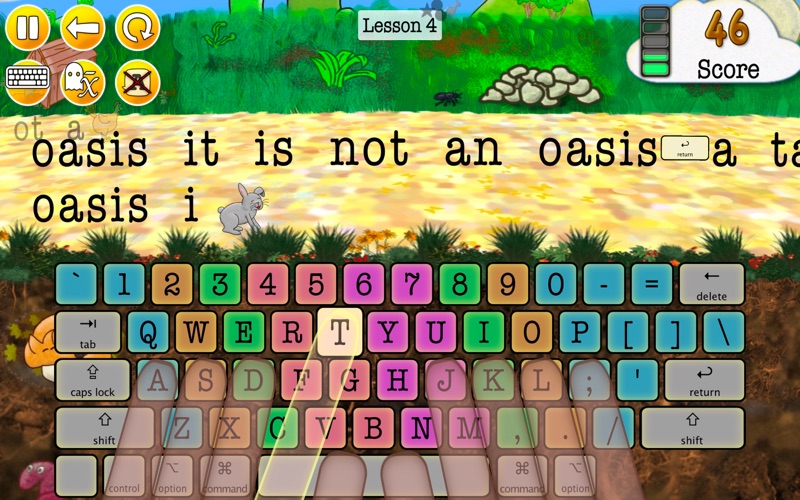
• Animal Typing is a simple and funny way to learn touch typing for all ages. In Animal Typing, the animal you get depends on your typing skills. The faster you type, the faster is your animal (snail, rabbit, horse, etc.). However, be care…
Release notes parsed from trusted records and kept on this page. History provides context; a future Watch alert starts from a fresh baseline.
Be the first to request it
Request the same source-linked purchase brief shown in the completed example below. Your email starts the request and receives the result.
Want it sooner? Independent demand changes queue priority.
Completed example · CleanShot X data
Everything below belongs to CleanShot X. It is a real, completed example—not research about Animal Typing - Lite.

CleanShot X
Example data
 Completed research example
Most repeated positive
13authors
“cleanshotx - scrolling screenshots is much more robust.”Evidence: r/macapps · Shottr vs CleanShot X in 2026. Which one are you actually sticking with?
Most repeated concern
16authors
“I don't think it makes sense to spend the money for Cleanshot when other apps do most of what it does for a lot less or free.”Evidence: r/macapps · Shottr vs CleanShot X in 2026. Which one are you actually sticking with?
Product context
Official or maker-supplied product information. It is kept separate from buyer evidence and independent purchase verification.
• Animal Typing is a simple and funny way to learn touch typing for all ages. In Animal Typing, the animal you get depends on your typing skills. The faster you type, the faster is your animal (snail, rabbit, horse, etc.). However, be careful, Animal Typing also greatly rewards your accuracy. So, avoid the typos and get the cheetah!
• 28 lessons to gradually learn the keyboard keys.
• Also include two sets of 32 lessons designed for kids under 12 years old.
• You could also import your own lessons (add them using iCloud Drive).
• Animated fingers showing the proper typing technique.
• Multiple Keyboard layouts: Qwerty (US/UK), Dvorak, Colemak, Workman, Qwertz (German/Swiss), Azerty (France). (Kids Lessons are designed for the Qwerty and Dvorak layout.)
• Possibility to customize the finger typing zones.
• Local user login system to switch between multiple users.
• Dictation mode that spells out the words to be typed.
• Include advanced lessons for specials characters (1234... #$%[]...).
Credits:
I want to thank the translators Mr Oscar Céspedes, Mr Amos Del Fabbro, Ms Lingnan Wang, Ms Kwon Nam Soo, Ms Masako Nagano and Ms Hanah Nguyen for the realization of the Spanish, Italian, Chinese, Korean, Japanese and Vietnamese lessons respectively. I want to thank Ms Gaylene Sutton for her suggestion and advices in the preparation of the "Kids Lessons" set. I want to thank the freesound.org community for the sound effects. Full audio credits: https://sites.google.com/view/animaltyping/.
• Minors improvements
More Education apps from the directory.