Most repeated positive
13authors
A complete feature set
“cleanshotx - scrolling screenshots is much more robust.”Evidence: r/macapps · Shottr vs CleanShot X in 2026. Which one are you actually sticking with?

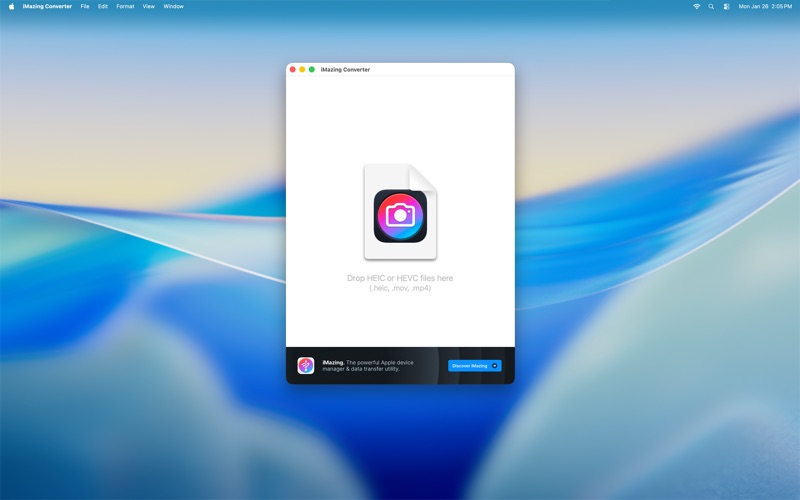
iMazing Converter is the first 100% free solution to easily convert pictures and videos taken in the new HEIC/HEIF and HEVC formats. Easy to use, efficient, and compatible with older macOS versions, it's a cute little utility we hope you'l…
Release notes parsed from trusted records and kept on this page. History provides context; a future Watch alert starts from a fresh baseline.
iMazing Converter 2 adds the following new features:
2.0.14
2.0.13
2.0.12
2.0.11
2.0.10
2.0.9:
2.0.8:
2.0.7:
2.0.6:
2.0.5:
2.0.3:
2.0.2:
2.0.1
Be the first to request it
Request the same source-linked purchase brief shown in the completed example below. Your email starts the request and receives the result.
Want it sooner? Independent demand changes queue priority.
Completed example · CleanShot X data
Everything below belongs to CleanShot X. It is a real, completed example—not research about iMazing Converter.

CleanShot X
Example data
 Completed research example
Most repeated positive
13authors
“cleanshotx - scrolling screenshots is much more robust.”Evidence: r/macapps · Shottr vs CleanShot X in 2026. Which one are you actually sticking with?
Most repeated concern
16authors
“I don't think it makes sense to spend the money for Cleanshot when other apps do most of what it does for a lot less or free.”Evidence: r/macapps · Shottr vs CleanShot X in 2026. Which one are you actually sticking with?
Product context
Official or maker-supplied product information. It is kept separate from buyer evidence and independent purchase verification.
iMazing Converter is the first 100% free solution to easily convert pictures and videos taken in the new HEIC/HEIF and HEVC formats. Easy to use, efficient, and compatible with older macOS versions, it's a cute little utility we hope you'll find useful!
Features: - Convert HEIC files to JPEG or PNG - Convert HEVC (H265) files to MPEG-4 (H264) - Adjustable compression/quality and resolution of JPEG or MPEG-4 output - Preserve EXIF data when converting to JPG - Super easy to use: drag and drop files or folders and hit Convert - Compatible with older macOS versions (10.9 Mavericks and higher)
iMazing Converter 2 adds the following new features:
- Convert HEVC (H.265) videos to MPEG-4 (H.264) - Customize compression/quality ratio of MPEG-4 (H.264) output - Customize resolution ratio of MPEG-4 (H.264) output - Customize resolution ratio of JPEG output
2.0.14
- Improved video quality at higher quality settings - eliminates blocky artifacts (macroblocking) when converting videos to H.264 - Fixed dropped frames when converting variable-frame-rate videos
2.0.13
- Fixed an issue that produced incorrect EXIF information for HEIC files containing multiple images
2.0.12
- Fixed an issue that could cause incorrect pixel values in bright areas
2.0.11
- Fixed an issue with the application's icon on some macOS versions
2.0.10
- Fixed potential issues when converting HEIC images: "File is not HEVC encoded" or "Invalid data size"
2.0.9:
- Fixed conversion issues on some HEIF files without thumbnails (META.IREF missing)
2.0.8:
- Fixed a crash when generating thumbnails on some HEIF files
2.0.7:
- Fixed an issue causing image tiles to be rendered out of order for specific image dimensions
2.0.6:
- Fixed a crash converting some live photos
2.0.5:
- Improved memory usage and stability
2.0.3:
- Increased quality of JPEG high quality setting slightly - Improved error reporting - Improved stability
2.0.2:
- Fixed an issue that could cause some video files to be converted incorrectly. - Fixed an issue converting files to a directory with special characters. - Added support for .heif or .hif file extensions.
2.0.1
- Fixed an issue that could cause some video files to be converted incorrectly - Added support for .heif or .hif file extensions
More Video Editing apps from the directory.


