Most repeated positive
13authors
A complete feature set
“cleanshotx - scrolling screenshots is much more robust.”Evidence: r/macapps · Shottr vs CleanShot X in 2026. Which one are you actually sticking with?

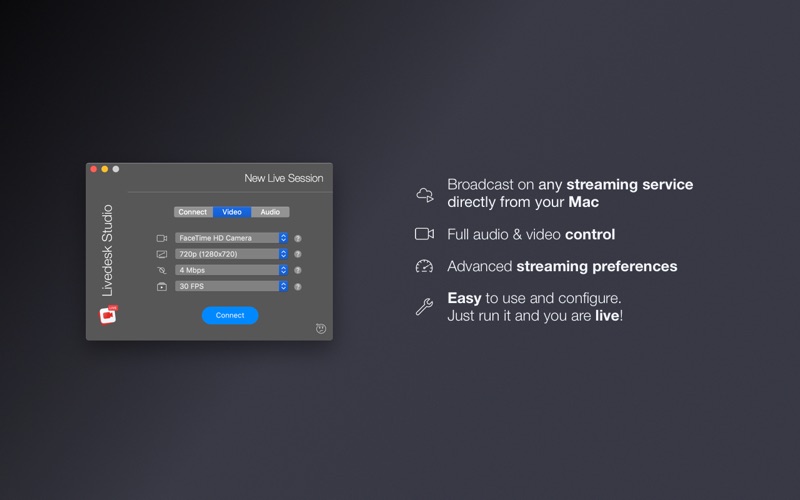
With Livedesk Studio, you can live broadcast on any video streaming service from your Mac. Use it with any platform like Facebook Live, YouTube Live, Twitch, Instagram, Periscope, on-premises services, and many more. You can live stream yo…
Release notes parsed from trusted records and kept on this page. History provides context; a future Watch alert starts from a fresh baseline.
Be the first to request it
Request the same source-linked purchase brief shown in the completed example below. Your email starts the request and receives the result.
Want it sooner? Independent demand changes queue priority.
Completed example · CleanShot X data
Everything below belongs to CleanShot X. It is a real, completed example—not research about Livedesk Studio.

CleanShot X
Example data
 Completed research example
Most repeated positive
13authors
“cleanshotx - scrolling screenshots is much more robust.”Evidence: r/macapps · Shottr vs CleanShot X in 2026. Which one are you actually sticking with?
Most repeated concern
16authors
“I don't think it makes sense to spend the money for Cleanshot when other apps do most of what it does for a lot less or free.”Evidence: r/macapps · Shottr vs CleanShot X in 2026. Which one are you actually sticking with?
Product context
Official or maker-supplied product information. It is kept separate from buyer evidence and independent purchase verification.
With Livedesk Studio, you can live broadcast on any video streaming service from your Mac. Use it with any platform like Facebook Live, YouTube Live, Twitch, Instagram, Periscope, on-premises services, and many more. You can live stream your webcam, your desktop activity, a connected mobile device (iPhone & iPad), or a prerecorded video file.
You can probably think of a number of potential opportunities already: you might live-stream an event, a Keynote presentation, your gameplay, an announcement, a web tutorial - you name it.
WHAT CAN YOU BROADCAST • Your web camera and microphone (including the external ones) • Your Mac screen/desktop activity • Your connected mobile device (iPhone, iPad) - no extra app required on your device, just connect your device to your computer with a lightning cable • Prerecorded video files
KEY FEATURES • Broadcast media on any streaming platform from your Mac, iPhone, and iPad • Stream from your FaceTime camera, a connected mobile device (iPhone & iPad), webcams, prerecorded video files, or desktop activity • Record your live stream locally to a video file • Picture in picture for desktop live sessions (with camera, iOS device, or other external screen) • Start broadcasting while you play games on your Mac • You can tune your broadcast preferences for the best results (video and audio input, video resolution, media bit rate, and more) • Livedesk is an easy-to-use and configure app. Just run it, prepare your speech, and you're live! • You can broadcast your screen/desktop activity on the web: show the world a tutorial, a Keynote presentation, or an online seminar. Be the teacher of your audience
SUPPORT We read your support emails every day, day by day. Write with confidence any question, feedback, or complaint, and you will receive an answer in a very short period of time.
We offer two auto-renewing subscriptions and a one-time payment option: • Basic, a 1 Month subscription • Premium, a 12-month subscription • Lifetime access: one-time payment only Prices may vary by location.
Subscriptions will auto-renew unless canceled. • Payment will be charged to the iTunes Account at confirmation of purchase • Subscription may be managed by the user, and auto-renewal may be turned off by going to the user’s Account Settings after purchase. • No cancellation of the current subscription is allowed during the active subscription period. • Subscription automatically renews unless auto-renewal is turned off at least 24-hours before the end of the current period. • Your account will be charged for renewal for the amount of your current subscription within 24-hours prior to the end of the current period. All costs for subscriptions are mentioned above.
Privacy Policy https://alexdenk.eu/subscriptions-privacy-policy.html Terms of Use https://alexdenk.eu/subscriptions-terms-of-use.html
• Bug fixes and improvements
More Social Networking apps from the directory.


