Most repeated positive
13authors
A complete feature set
“cleanshotx - scrolling screenshots is much more robust.”Evidence: r/macapps · Shottr vs CleanShot X in 2026. Which one are you actually sticking with?

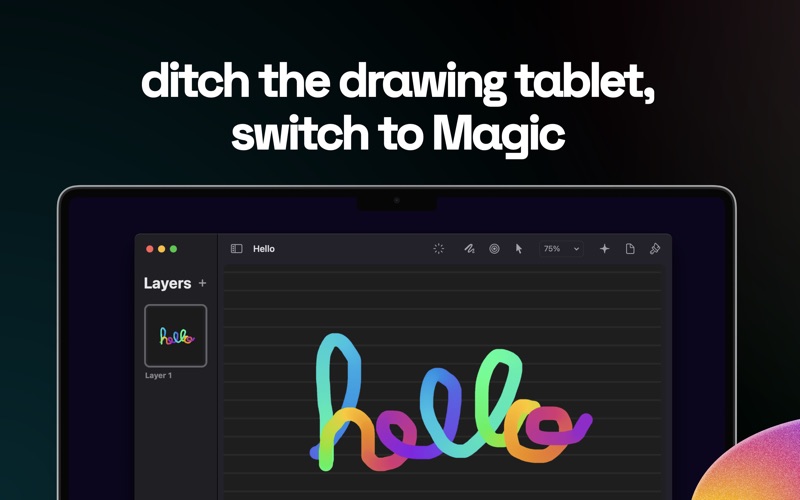
Unlock the extraordinary potential of your computer with Magic, a one-of-a-kind drawing app. Harnessing the power of Mac technology, Magic lets you use your fingertips or stylus to turn your trackpad into your own drawing tablet. A few of…
Release notes parsed from trusted records and kept on this page. History provides context; a future Watch alert starts from a fresh baseline.
This version of Magic contains bug fixes and performance improvements.
Be the first to request it
Request the same source-linked purchase brief shown in the completed example below. Your email starts the request and receives the result.
Want it sooner? Independent demand changes queue priority.
Completed example · CleanShot X data
Everything below belongs to CleanShot X. It is a real, completed example—not research about Magic – Drawing and AI.

CleanShot X
Example data
 Completed research example
Most repeated positive
13authors
“cleanshotx - scrolling screenshots is much more robust.”Evidence: r/macapps · Shottr vs CleanShot X in 2026. Which one are you actually sticking with?
Most repeated concern
16authors
“I don't think it makes sense to spend the money for Cleanshot when other apps do most of what it does for a lot less or free.”Evidence: r/macapps · Shottr vs CleanShot X in 2026. Which one are you actually sticking with?
Product context
Official or maker-supplied product information. It is kept separate from buyer evidence and independent purchase verification.
Unlock the extraordinary potential of your computer with Magic, a one-of-a-kind drawing app. Harnessing the power of Mac technology, Magic lets you use your fingertips or stylus to turn your trackpad into your own drawing tablet.
A few of the key features:
• Ditch the drawing tablet and draw with great precision Use built-in or connected trackpads as a Magic drawing tablet, or use a conventional drawing method.
• Unleash your art with AI Use an amazing built-in AI assistant powered by Stable Diffusion to improve your own artworks – or create completely new ones.*
• Built-in pressure sensitivity Use the Force Touch trackpad's pressure-sensitive surface to fine-tune your strokes.
• Customize your brush Configure fill styles, size, pressure and opacity settings to create the perfect brush.
• Use layers and pages Use layers to level up your creations, or turn them into pages and view your project as a sketchbook.*
*Full functionality requires a paid subscription. Terms of use: https://www.apple.com/legal/internet-services/itunes/dev/stdeula/
This version of Magic contains bug fixes and performance improvements.
More Graphics & Design apps from the directory.


