Most repeated positive
13authors
A complete feature set
“cleanshotx - scrolling screenshots is much more robust.”Evidence: r/macapps · Shottr vs CleanShot X in 2026. Which one are you actually sticking with?

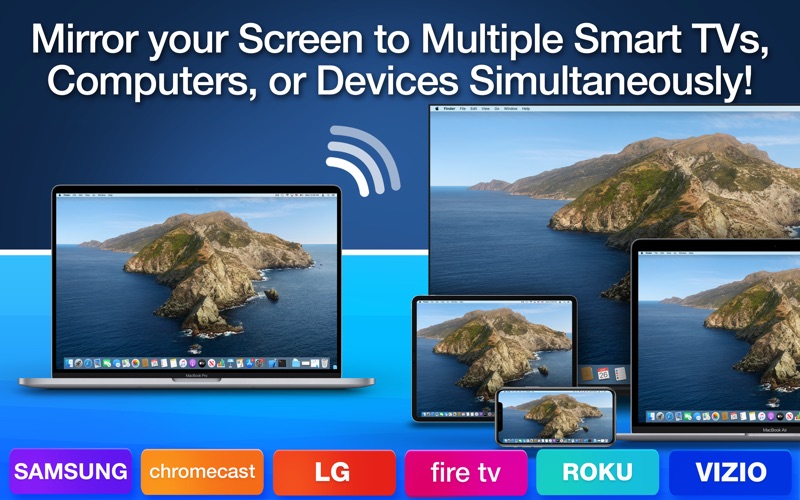
** Mirror your Primary Display, Secondary Display, iPhone Screen and iPad Screen to Multiple TVs, Computers, or Devices Simultaneously! ** Mirror up to Four Screens at the same time! ** Completely Wireless! Simply use your Web Browser to W…
Release notes parsed from trusted records and kept on this page. History provides context; a future Watch alert starts from a fresh baseline.
Be the first to request it
Request the same source-linked purchase brief shown in the completed example below. Your email starts the request and receives the result.
Want it sooner? Independent demand changes queue priority.
Completed example · CleanShot X data
Everything below belongs to CleanShot X. It is a real, completed example—not research about Mirror Screen to Any Smart TV.

CleanShot X
Example data
 Completed research example
Most repeated positive
13authors
“cleanshotx - scrolling screenshots is much more robust.”Evidence: r/macapps · Shottr vs CleanShot X in 2026. Which one are you actually sticking with?
Most repeated concern
16authors
“I don't think it makes sense to spend the money for Cleanshot when other apps do most of what it does for a lot less or free.”Evidence: r/macapps · Shottr vs CleanShot X in 2026. Which one are you actually sticking with?
Product context
Official or maker-supplied product information. It is kept separate from buyer evidence and independent purchase verification.
** Mirror your Primary Display, Secondary Display, iPhone Screen and iPad Screen to Multiple TVs, Computers, or Devices Simultaneously! ** Mirror up to Four Screens at the same time! ** Completely Wireless! Simply use your Web Browser to Watch Mirrored Screen!
Exclusive Features you won’t find elsewhere: • Wireless Screen Mirroring - Mirror the Primary and Secondary Displays from your Mac to multiple TVs, computers, or devices simultaneously. • iPhone & iPad Mirroring - Mirror the Screens of your iPhone and iPad (connected to your Mac via USB) to multiple TVs or computers simultaneously. • Multiple Screen Mirroring - Mirror up to Four Screens at the same time - namely, the primary display, the secondary display, the iPhone screen and the iPad screen. • Easy to Use - Just use any Web Browser (e.g., Safari, Chrome, Edge) from your computer or device (e.g., Mac, PC, Samsung TV, LG TV, Sony TV, Smartphones, Tablets, Game Console) to view the mirrored screen. • Video & Photo Casting - Cast Videos and Photos to multiple TVs or computers simultaneously. • No Delay - Screens and Videos mirror with virtually zero delay. • Resizable - Drag the divider line to resize the mirrored screens in your web browser. • Multiple Viewers - Mirror your screen(s) to multiple TVs, computers, or devices simultaneously. It's ideal for school or office use. • Receiving Multiple Screens - One computer or device can receive multiple screen mirrors at the same time.
How to Use: \1. If you want to mirror your iPhone's screen or iPad's screen, please connect your iPhones or iPads to your Mac via USB before you run the app. \2. Run the app and select the display and/or the iPhone/iPad you want to mirror. \3. Click the "Start" button. \4. Open a web browser on another TV or computer, then enter the URL as shown in the app. You should see your screen mirrored in the web browser. * You can drag the divider line to resize the screen mirrors in your web browser.
For macOS 15 Sequoia or Later Users: • Starting from macOS 15 Sequoia, you'll see a system prompt that reads: "Mirror Screen to Any Smart TV is requesting to bypass the system private window picker and directly access your screen and audio. This will allow Mirror Screen to Any Smart TV to record your screen and system audio, including personal or sensitive information that may be visible or audible."
This dialog will appear even if you've previously granted screen capture permissions. If you wish to continue using "Mirror Screen to Any Smart TV" for mirroring your screen, please click the "Allow" button. Thank you!
Notes: * This app doesn't work on complex networks, IPv6, Subnet, or Virtual LANs. * Audio is not supported.
Disclaimer: This app is not affiliated with any of the trademarks mentioned here.
Terms: http://www.appofmac.com/terms/ Privacy Policy: http://www.appofmac.com/privacy/
- Bug fixes and some improvements.
More Video Editing apps from the directory.

