Most repeated positive
13authors
A complete feature set
“cleanshotx - scrolling screenshots is much more robust.”Evidence: r/macapps · Shottr vs CleanShot X in 2026. Which one are you actually sticking with?

Creative productivity. Intuitive Design. Powered by Humans. Free 2-week trial. Design and build incredible graphics, diagrams, process charts, website and app wireframes—from the painlessly simple to the infinitely complex—inside OmniGraff…
Release notes parsed from trusted records and kept on this page. History provides context; a future Watch alert starts from a fresh baseline.
text elements with a negative scale transform. The text will import but will not be flipped as that is not supported.If you have any feedback or questions, we’d love to hear from you! The Omni Group offers free tech support; you can email omnigraffle@omnigroup.com or call 1–206–523–4152.
If OmniGraffle empowers you, we would appreciate an App Store review. Your review will help other people find OmniGraffle and make them more productive too.
Be the first to request it
Request the same source-linked purchase brief shown in the completed example below. Your email starts the request and receives the result.
Want it sooner? Independent demand changes queue priority.
Completed example · CleanShot X data
Everything below belongs to CleanShot X. It is a real, completed example—not research about OmniGraffle 7.

CleanShot X
Example data
 Completed research example
Most repeated positive
13authors
“cleanshotx - scrolling screenshots is much more robust.”Evidence: r/macapps · Shottr vs CleanShot X in 2026. Which one are you actually sticking with?
Most repeated concern
16authors
“I don't think it makes sense to spend the money for Cleanshot when other apps do most of what it does for a lot less or free.”Evidence: r/macapps · Shottr vs CleanShot X in 2026. Which one are you actually sticking with?
Product context
Official or maker-supplied product information. It is kept separate from buyer evidence and independent purchase verification.
Creative productivity. Intuitive Design. Powered by Humans. Free 2-week trial.
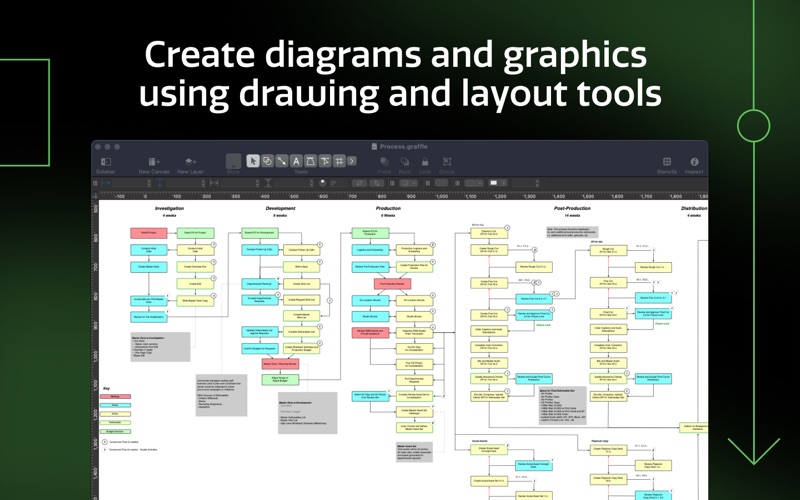
Design and build incredible graphics, diagrams, process charts, website and app wireframes—from the painlessly simple to the infinitely complex—inside OmniGraffle 7. Create everything you can imagine in the ultimately scalable and easy-to-use app for precise, beautiful graphics.
IMPORTANT UPGRADE DISCOUNTS FOR CURRENT OMNIGRAFFLE OWNERS:
Discounts and free upgrades to OmniGraffle 7, both Standard and Pro, are only available to those who purchased an earlier version from the App Store. Double-check that you purchased a prior version from the App Store via the “Purchased” tab in the App Store app. If you need help, please email sales@omnigroup.com.
OmniGraffle 7 is an entirely new version with improvements as fine as tweaking individual Bézier points in typography and as broad as the artboards your type is laid out in. Elegantly organize your Infinite Canvas in a brand new Sidebar and improved inspectors.
FREE TRIAL
With the free two week trial, you can try all of the features of Standard and Pro without buying anything. After the trial, you can continue to use OmniGraffle to view documents for free.
NEW FEATURES (AVAILABLE VIA IN-APP PURCHASE)
- Unified Sidebar: improved interactions with objects, layers, and canvases in a newly organized sidebar. - Point Editor Tool: Immediate access to each and every point on a shape. - New Export Panel: With just a few clicks, export your graphics in multiple resolutions, perfectly named and organized. Batch exporting, filling set dimensions, and previews are all included. - Infinite Canvas: make your canvas expand automatically in one, two, three, or all directions. - Keyboard Shortcut Sets: customize every menu bar command and tool with your preferred shortcut, or choose from a few different sets from popular apps. - SVG import: paste in SVG code or import SVG files directly to OmniGraffle.
NEW PRO FEATURES (AVAILABLE VIA IN-APP PURCHASE)
- Artboard Layers: Use artboards to set up advanced, exportable elements, or as another way to organize your canvas. - Convert text to shapes: convert text to make tweaks to character shapes or add complex styling. - Convert lines to shapes: turn a line’s stroke into a shape with easily editable Bézier points. - Plus: - Shareable Keyboard Shortcuts - Artboard Tool
PRO FEATURES (AVAILABLE WITH IN-APP PURCHASE)
- Visio import/export: Open Microsoft Visio® documents (VSD or VDX) directly in OmniGraffle, as well as Visio stencils (VSS) and templates (VST). Export to Visio XML documents (VDX). - Shared layers: Easily update common elements that you'd like to display on multiple canvases. Layers can now be toggled between normal and shared. - New controls specify which edge or center of an object is reflected in the Geometry Inspector. You can set the X and Y coordinates of a selected vertex point. - Non-destructive shape combinations: Easily create new shapes using combinations of existing shapes (with support for union, intersection, and subtraction). Combined shapes can now be uncombined into their component shapes. - Resolution-independent Display Scale: When zoom is at 100%, match an Apple point, PostScript point, or screen pixel. - Photoshop export supports the export of OmniGraffle layers to Photoshop layers. - Tables: Group shapes using tables, making it easy to add new rows or columns of your template shape. - Xcode import: Generate a Class diagram of an Xcode project automatically.
For the complete manual, visit our website! SUPPORT
If you have any feedback or questions, we’d love to hear from you! The Omni Group offers free tech support; you can email omnigraffle@omnigroup.com or call 1–206–523–4152.
Thanks!
• SVG Import: Fixed a crash importing `text` elements with a negative scale transform. The text will import but will not be flipped as that is not supported.
If you have any feedback or questions, we’d love to hear from you! The Omni Group offers free tech support; you can email omnigraffle@omnigroup.com or call 1–206–523–4152.
If OmniGraffle empowers you, we would appreciate an App Store review. Your review will help other people find OmniGraffle and make them more productive too.
More Graphics & Design apps from the directory.


