Most repeated positive
13authors
A complete feature set
“cleanshotx - scrolling screenshots is much more robust.”Evidence: r/macapps · Shottr vs CleanShot X in 2026. Which one are you actually sticking with?

Supported Formats: Videos: mkv, rmvb, rm, avi, mov, wmv, flv, f4v, f4p, f4a, f4b, swf, mpg, mpeg, mpeg1, mpeg2, m1v, m2v, mpv, mp4, mpeg4, m4v, 3gp, 3gpp, 3g2, 3gp2, m2p, ps, ts, m2ts, mts, mt2s, ogm, ogv, divx, dv, asf, wtv, webm, m3u, m3…
Release notes parsed from trusted records and kept on this page. History provides context; a future Watch alert starts from a fresh baseline.
Be the first to request it
Request the same source-linked purchase brief shown in the completed example below. Your email starts the request and receives the result.
Want it sooner? Independent demand changes queue priority.
Completed example · CleanShot X data
Everything below belongs to CleanShot X. It is a real, completed example—not research about OmniPlayer: MKV Video Player.

CleanShot X
Example data
 Completed research example
Most repeated positive
13authors
“cleanshotx - scrolling screenshots is much more robust.”Evidence: r/macapps · Shottr vs CleanShot X in 2026. Which one are you actually sticking with?
Most repeated concern
16authors
“I don't think it makes sense to spend the money for Cleanshot when other apps do most of what it does for a lot less or free.”Evidence: r/macapps · Shottr vs CleanShot X in 2026. Which one are you actually sticking with?
Product context
Official or maker-supplied product information. It is kept separate from buyer evidence and independent purchase verification.
Supported Formats: Videos: mkv, rmvb, rm, avi, mov, wmv, flv, f4v, f4p, f4a, f4b, swf, mpg, mpeg, mpeg1, mpeg2, m1v, m2v, mpv, mp4, mpeg4, m4v, 3gp, 3gpp, 3g2, 3gp2, m2p, ps, ts, m2ts, mts, mt2s, ogm, ogv, divx, dv, asf, wtv, webm, m3u, m3u8 etc.
Audios: flac, ape, m2a, mp1, mp2, mpa, mp3, mpg3, m4a, m4b, wma, wav, wv, xm, aiff, aif, ac3, a52, aac, opus, ogg, oga, mid, midi, mka etc.
Subtitles: ass, ssa, srt, idx&sub
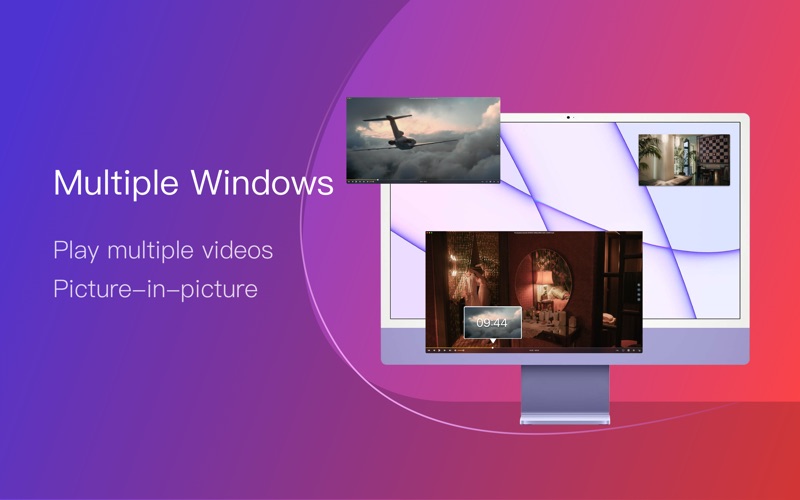
OmniPlayer for Mac is a comprehensive media player for almost any video and audio format on macOS. It has powerful features with a modern and clean design. You can use it to play various 4K/1080P/720P HD videos and normal/lossless audio easily with hardware decoding. OmniPlayer’s rich features let you conveniently control and adjust the playback, playlists, video images, audio tracks, subtitles, and screenshots, etc.
Features · Supports Multiple Media Types - Play almost any format of the local and remote server videos and audios (SAMBA/FTP protocol). - Supports online videos and audio with HTTP/HTTPS protocols. - Play Youtube and Vimeo videos using the webpage URL directly without online ads.
· Playlist Control - Record media files to playlists automatically and automatically clear all when exiting the player. - Play, search, delete, change repeat mode of media items in the playlist.
· Playback Control - Pause, resume, fast forward, rewind and jump to a specified progress time. - Record last progress time of playback when stopping automatically. - Show preview images on the progress bar when playing a local video. - Hide controls automatically to display pure video view without any occlusion. - Adjust playback speed from 0.25x to 4x.
· Video Image Adjustment - Adjust window size and video image aspect ratio quickly. - Adjust video image rotation in all directions. - Adjust video image equalizer including brightness, contrast, and saturation.
· Audio Control - Change audio delay time to synchronize audio and video. - Choose different audio tracks in the video. - Choose audio mode such as Stereo, Dolby Surround, Headphones, etc. - Customize audio equalizer or choose predefined equalizer settings such as Classic, Rock, Pop, etc.
· Subtitle Control - Load different formats of local subtitles in real-time. - Search and load subtitles online with video name or hash. - Support for most languages. Change subtitle color and size in real-time. - Change the encoding of subtitles in different languages to fix subtitle display problems.
· Screenshot - Take a screenshot with different formats. - Generate GIF images up to 60s. Export thumbnails with one click.
· Wireless Display - DLNA protocol, Chromecast protocol, Roku channel
OmniPlayer offers the following option for Upgrading to VIP service
Service: Upgrade to VIP One-time purchase to get lifetime access Monthly subscription Yearly subscription
Price may vary by location.
Privacy Policy and Terms of Use https://okaapps.com/privacy https://www.apple.com/legal/internet-services/itunes/dev/stdeula/
Contact Us: - Telegram: appsupportgroup - WeChat: appsupportgroup - QQ group: 260862101
- Fixed some bugs
More Photo & Video apps from the directory.


