Most repeated positive
13authors
A complete feature set
“cleanshotx - scrolling screenshots is much more robust.”Evidence: r/macapps · Shottr vs CleanShot X in 2026. Which one are you actually sticking with?

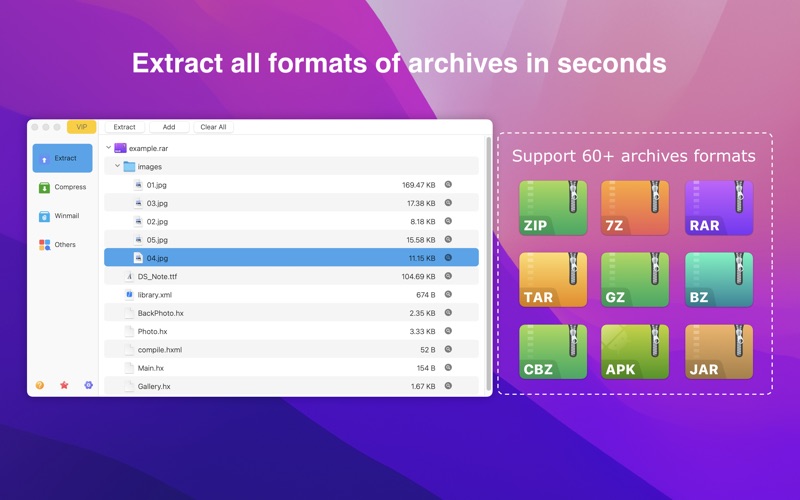
● Extract 7Z, ZIP, RAR, TAR, GZIP, BZIP2, GZ, XZ, LZIP, ACE, ISO, LZMA, CBR, EXE, MSI, LZH, CPIO, CAB, JAR, PAK, PKG, APK, ACE, ARJ, LQR, SPK, SWF, NSA, RPM, CPT, etc… ● Create password-protected 7Z, RAR and ZIP compressed files ● Extract…
Release notes parsed from trusted records and kept on this page. History provides context; a future Watch alert starts from a fresh baseline.
Fixed some bugs
Be the first to request it
Request the same source-linked purchase brief shown in the completed example below. Your email starts the request and receives the result.
Want it sooner? Independent demand changes queue priority.
Completed example · CleanShot X data
Everything below belongs to CleanShot X. It is a real, completed example—not research about RAR Extractor - Unzip File.

CleanShot X
Example data
 Completed research example
Most repeated positive
13authors
“cleanshotx - scrolling screenshots is much more robust.”Evidence: r/macapps · Shottr vs CleanShot X in 2026. Which one are you actually sticking with?
Most repeated concern
16authors
“I don't think it makes sense to spend the money for Cleanshot when other apps do most of what it does for a lot less or free.”Evidence: r/macapps · Shottr vs CleanShot X in 2026. Which one are you actually sticking with?
Product context
Official or maker-supplied product information. It is kept separate from buyer evidence and independent purchase verification.
● Extract 7Z, ZIP, RAR, TAR, GZIP, BZIP2, GZ, XZ, LZIP, ACE, ISO, LZMA, CBR, EXE, MSI, LZH, CPIO, CAB, JAR, PAK, PKG, APK, ACE, ARJ, LQR, SPK, SWF, NSA, RPM, CPT, etc… ● Create password-protected 7Z, RAR and ZIP compressed files ● Extract images from PDF file
「MAIN FEATURES」 ● Extract over 60 kinds of archive (compressed file) formats. ● Preview winmail.dat sent from Microsoft Outlook ● Extract the encrypted archive. ● Double click to decompress / preview the compressed file (Like WinRAR). ● Drag the compressed file to DOCK ICON to decompress or preview directly. ● Decompress to the same folder as the archive. ● Extract any file in the archive. ● Batch decompress archives ● AES256 encryption algorithm to create 7Z, RAR and ZIP compressed files . ● Support different display windows
「EMAIL」 ● zhiminl@qq.com
「Terms of Use」 ● https://www.apple.com/legal/internet-services/itunes/dev/stdeula/
「Privacy Policy」 ● https://dami0209.github.io/privacy.html
Fixed some bugs
More Utilities apps from the directory.