Most repeated positive
13authors
A complete feature set
“cleanshotx - scrolling screenshots is much more robust.”Evidence: r/macapps · Shottr vs CleanShot X in 2026. Which one are you actually sticking with?

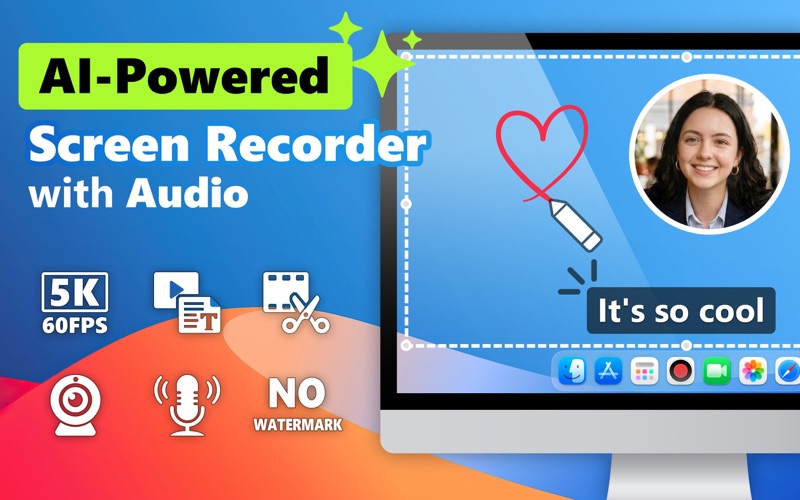
Record your screen, mic, and webcam in ultra-high quality with Bandicam for Mac. Perfect for tutorials, meetings, gameplay, and YouTube videos — no lag, no watermark. Edit recordings instantly and share anywhere. Bandicam allows you to: -…
Release notes parsed from trusted records and kept on this page. History provides context; a future Watch alert starts from a fresh baseline.
Be the first to request it
Request the same source-linked purchase brief shown in the completed example below. Your email starts the request and receives the result.
Want it sooner? Independent demand changes queue priority.
Completed example · CleanShot X data
Everything below belongs to CleanShot X. It is a real, completed example—not research about Screen Recorder - Bandicam.

CleanShot X
Example data
 Completed research example
Most repeated positive
13authors
“cleanshotx - scrolling screenshots is much more robust.”Evidence: r/macapps · Shottr vs CleanShot X in 2026. Which one are you actually sticking with?
Most repeated concern
16authors
“I don't think it makes sense to spend the money for Cleanshot when other apps do most of what it does for a lot less or free.”Evidence: r/macapps · Shottr vs CleanShot X in 2026. Which one are you actually sticking with?
Product context
Official or maker-supplied product information. It is kept separate from buyer evidence and independent purchase verification.
Record your screen, mic, and webcam in ultra-high quality with Bandicam for Mac. Perfect for tutorials, meetings, gameplay, and YouTube videos — no lag, no watermark. Edit recordings instantly and share anywhere.
Bandicam allows you to: - Capture online business meetings - Create video tutorials by recording your screen and webcam - Transcribe video to text to create subtitles or meeting scripts - Record online video calls with family and friends - Record both system audio and your voice - Quickly cut and trim your recorded videos - Share videos via AirDrop, Google Drive, Dropbox, or OneDrive
Key Features: • Selected Area or Fullscreen capture • Specific Window Recording • Record both screen and webcam • Real-time drawing & annotation tools (pens, arrows, shapes, text, etc.) • Capture system and microphone audio without installing additional drivers • Up to 5K 60 FPS screen recording • Built-in video trimming • Quick Video Sharing • Extract audio from video (M4A) • Exclude Bandicam window/desktop icons from being captured • Mirror or flip your webcam overlay vertically • Supports MP4/MOV file format • Record over 24 hours without stopping
Policies and Customer Support: • Privacy Policy: https://www.bandicam.com/company/privacy/mac/ • Terms of Service: https://www.bandicam.com/company/tos/mac/ • Contact: mac@bandicam.com
• Improved error messages
More Photo & Video apps from the directory.


