Most repeated positive
13authors
A complete feature set
“cleanshotx - scrolling screenshots is much more robust.”Evidence: r/macapps · Shottr vs CleanShot X in 2026. Which one are you actually sticking with?
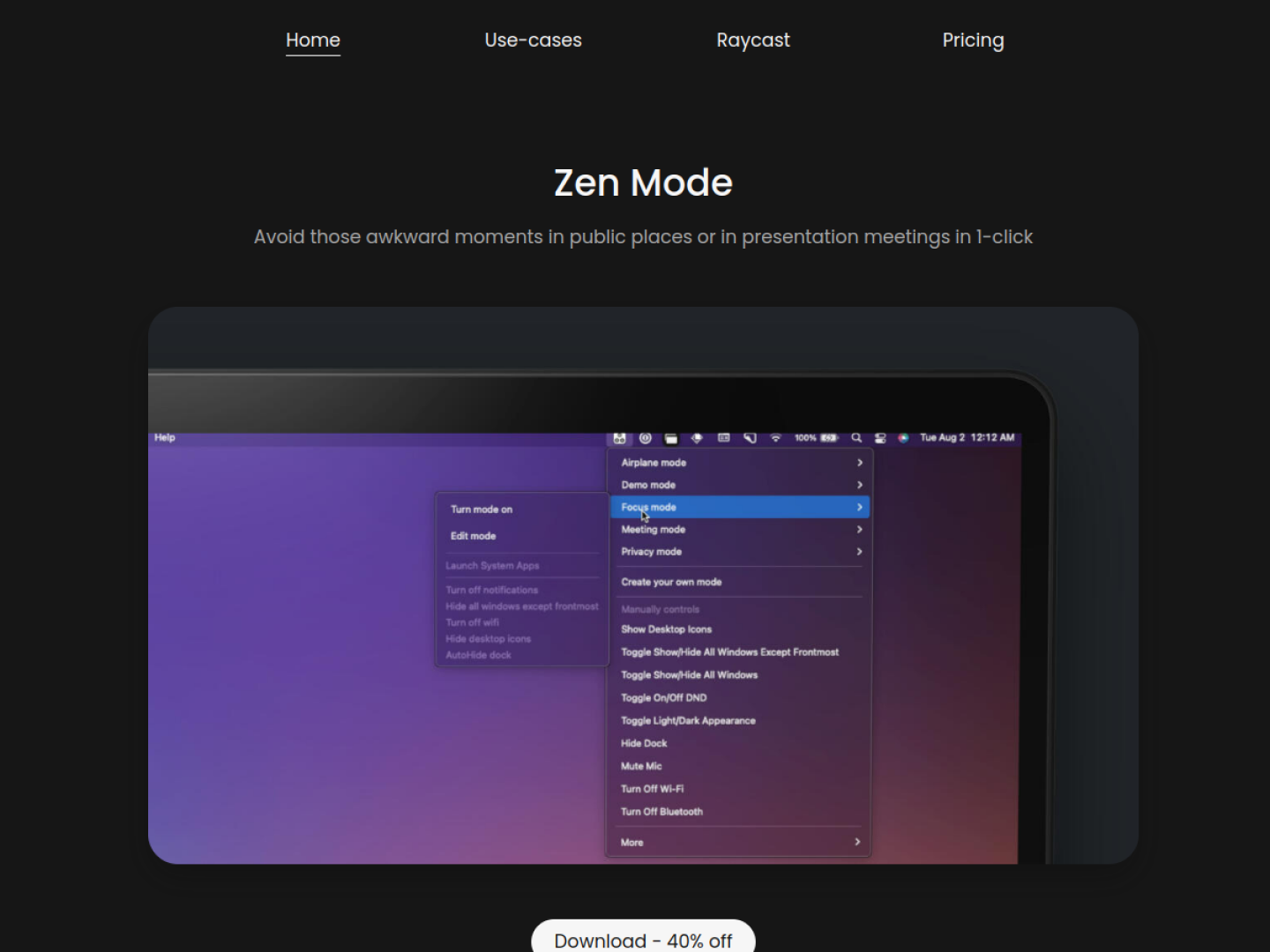
Avoid awkward moments in public places or meetings in just 1-click
Release notes parsed from trusted records and kept on this page. History provides context; a future Watch alert starts from a fresh baseline.
No trusted release history yet.
We have not observed a structured App Store, Sparkle, GitHub, or package release for Zen Mode macOS. Future official changes can still establish a Watch baseline.
Be the first to request it
Request the same source-linked purchase brief shown in the completed example below. Your email starts the request and receives the result.
Want it sooner? Independent demand changes queue priority.
Completed example · CleanShot X data
Everything below belongs to CleanShot X. It is a real, completed example—not research about Zen Mode macOS.

CleanShot X
Example data
 Completed research example
Most repeated positive
13authors
“cleanshotx - scrolling screenshots is much more robust.”Evidence: r/macapps · Shottr vs CleanShot X in 2026. Which one are you actually sticking with?
Most repeated concern
16authors
“I don't think it makes sense to spend the money for Cleanshot when other apps do most of what it does for a lot less or free.”Evidence: r/macapps · Shottr vs CleanShot X in 2026. Which one are you actually sticking with?
Product context
Official or maker-supplied product information. It is kept separate from buyer evidence and independent purchase verification.
Zen Mode lets a Mac user save groups of system and window preferences as named modes, then activate a mode from the menu bar. The product is designed for moments when a desktop needs to change quickly—before a presentation, a meeting, focused work, or using the Mac in public. The setup flow is direct: name the mode, choose its preferences, save it, and turn it on.
The official use cases show modes built from actions such as:
Each mode receives its own deep link, allowing another app or an Apple Shortcut to activate it. Zen Mode also documents a zenmode://stop link for deactivating the current mode, so a single shortcut can end any active setup. Its examples distinguish Focus, Presentation, Meeting, Privacy, and Airplane modes, but these are combinations rather than fixed limits. The official requirements specify macOS Monterey on Apple silicon or later. On newer macOS versions, Do Not Disturb requires the Shortcuts-based setup documented by the developer because Apple changed third-party access to that control.
More Window & Workspace apps from the directory.