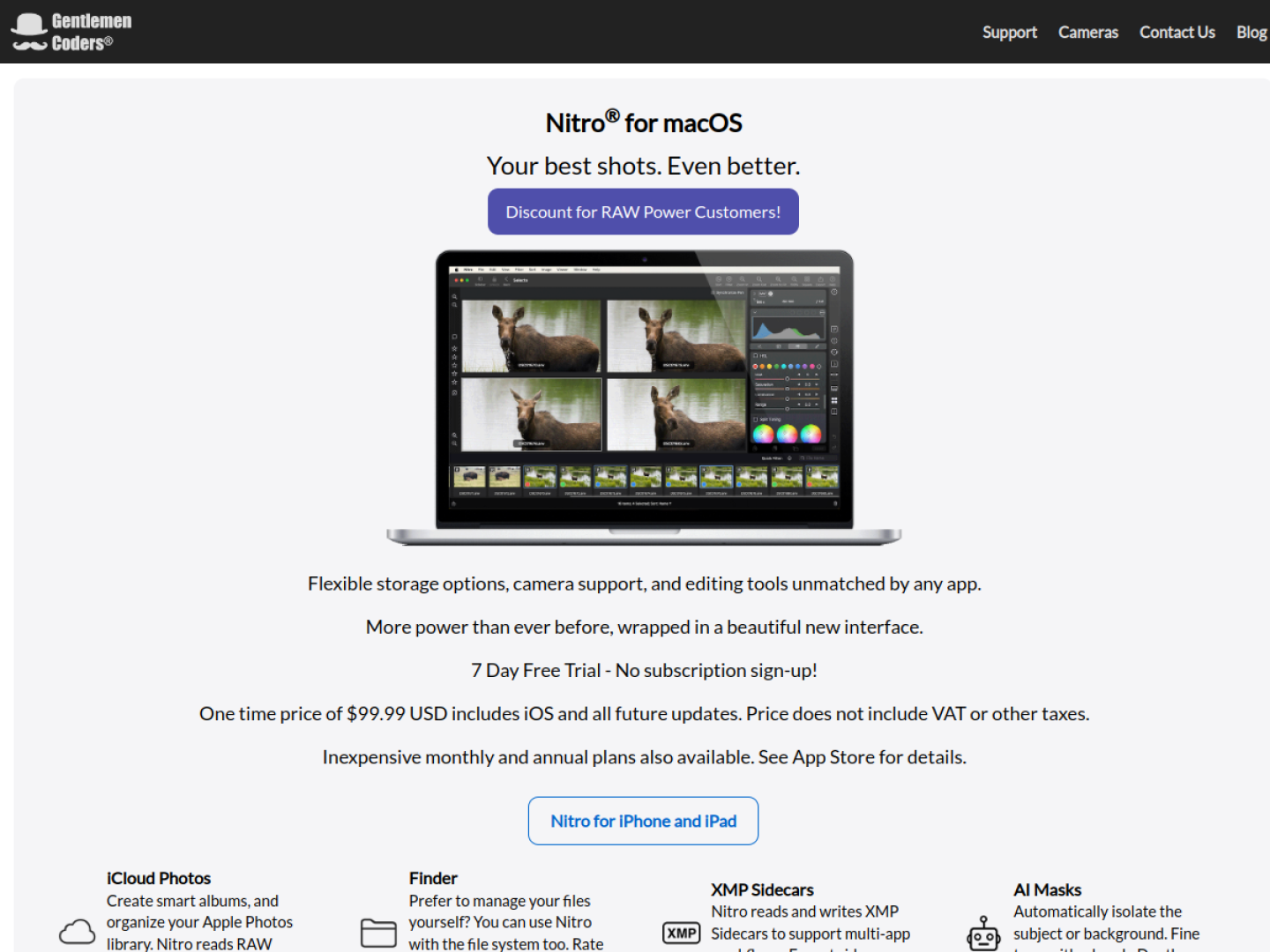
Organize and edit photos from either Photos or Finder
Nitro Photo is a RAW workflow for macOS that can browse Apple Photos libraries, Finder folders, or individual files. In Photos, it can create smart albums and sync ratings and flags through iCloud. Finder-based workflows stay non-destructive through XMP sidecars, which Nitro reads and writes for use alongside other photography apps. The Photos Extension carries the app’s editing tools into Apple Photos.
Develop a single image or process a set
The official feature set covers selection, correction, local editing, and export:
- Sixteen precision adjustments include white balance, RAW tuning, crop, perspective, curves, HSL, split toning, and vignette.
- AI and depth masks isolate subjects or backgrounds, with edge-aware brush refinement.
- Linear and radial gradients create targeted local adjustments.
- Clone and spot-removal tools correct unwanted artifacts.
- Batch processing applies presets or adjustments and exports multiple images.
- Lens correction addresses distortion, chromatic aberration, and vignetting.
Compare and evaluate at scale
Nitro can show as many as 16 images with synchronized pan and zoom. Filters narrow a collection by rating, flag, file type, date range, and other criteria, while metadata views integrate ExifTool and maps for GPS information. The official page offers a seven-day trial without subscription signup, plus a one-time purchase and subscription options; the one-time license includes the iOS version and future updates.