EasyFind 6.0, a Complete Rewrite of DEVONtechnologies' Free Mac File Search, Requires macOS 15 Sequoia
Source-based brief on DEVONtechnologies’ EasyFind 6.0, officially dated 24 November 2026 on the developer’s blog. Official pages describe 6.0 as a complete rewrite of the free, index-free Mac file-search utility, with a new main window, menu-bar and automation options, and developer-claimed faster content searches on SSDs. The blog says it requires macOS 15 Sequoia or later; the product and freeware pages say “Version 6.0. Requires macOS Sequoia or later.” Official pages present it as a free direct download and state no price, subscription, or trial. This is not a hands-on test.
EasyFind 6.0, a Complete Rewrite of DEVONtechnologies' Free Mac File Search, Requires macOS 15 Sequoia
On 24 November 2026, DEVONtechnologies released EasyFind 6.0, which it calls "a complete rewrite of our free file search utility for the Mac." The release has a new interface, menu-bar and automation options, and developer-claimed faster content searches on SSDs. This is a source-based brief from official DEVONtechnologies pages, not a hands-on test. The main sources are the official blog post "EasyFind 6.0", dated November 24, 2026 and posted by Eric Böhnisch-Volkmann (no time of day or timezone is given), and the EasyFind product page.
What EasyFind is
EasyFind is a free Mac file-search utility that does not query an index. The product page says it "doesn’t ask an index. It walks the folders you point it at and looks at every item," so it can find files Spotlight has not indexed and search external and network volumes. The blog makes the same point in other words: instead of asking an index, it digs through the folders you point it to.
A rebuilt main window
The blog describes "the rebuild main window" as having a locations sidebar, where you drag in folders and volumes and tick the ones to search, results in the middle, and an inspector on the right.
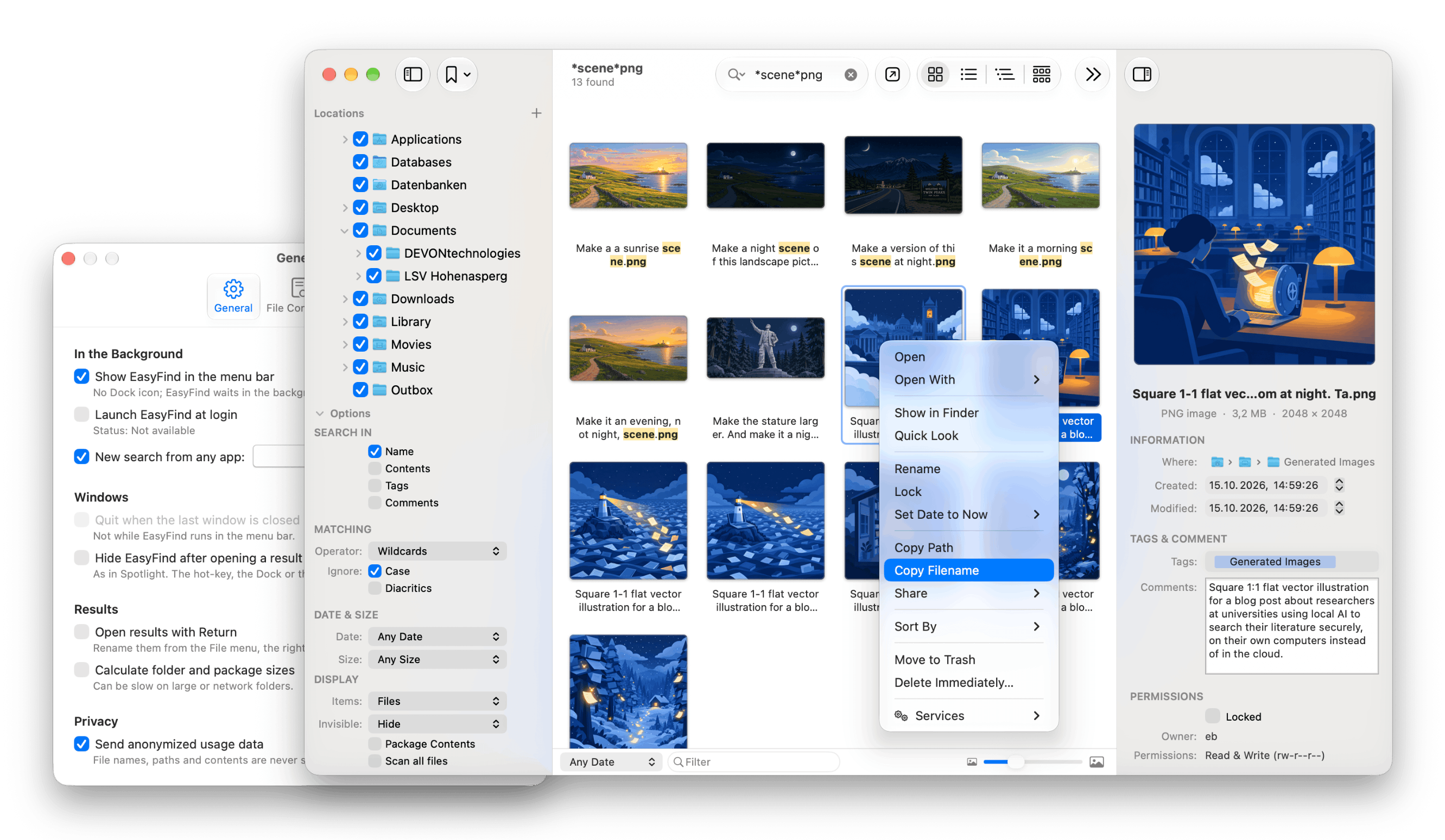
_Official product-page header screenshot of EasyFind 6, showing the Locations sidebar, gallery results, inspector, a context menu, and a Settings window. Source: https://www.devontechnologies.com/media/pages/apps/freeware/easyfind/cf620c4202-1795599102/easyfind-header-light.png _
This header image is an official composite, not a single live window. Visible Settings labels include "Show EasyFind in the menu bar," "New search from any app," "Launch EasyFind at login" (with the status "Not available") and "Send anonymized usage data."
Result views and inspector
The official wording for result views differs. The blog says "icons, list, tree, or gallery," with a "big Quick Look preview" in gallery for photos or PDFs. The product page body says "list, tree, gallery, or preview," while its feature list says "Icons, List, Tree, Gallery."
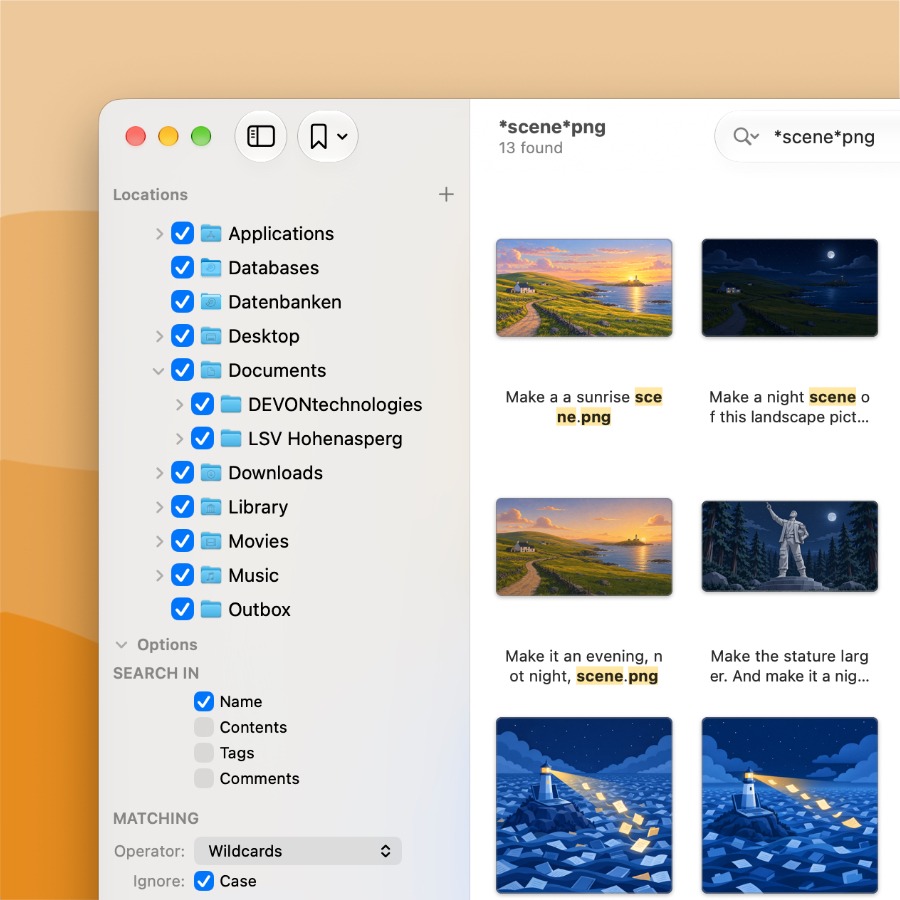
_Screenshot of EasyFind 6 showing a picture search. Official product screenshot from DEVONtechnologies’ 24 November 2026 blog post “EasyFind 6.0.” Source: https://www.devontechnologies.com/media/pages/blog/20261125-easyfind-6-0/3ceee389a7-1795599861/easyfind-light.jpg _
For the inspector, the blog mentions renaming items or changing tags and comments, and showing the exact matching line after a content search. The product page says "edit dates, tags, and comments" and mentions context-menu actions.
Search refinements
Per the blog, results can be narrowed by date and size even without a search term; its example is everything that changed in a folder today. A filter field trims results as you type, and the product page adds filtering and grouping. Export is "a CSV table or a list of paths" in the blog and "CSV or text file" on the product page.
Searches can be saved under a name. The blog says iCloud "brings them to your other Macs." The product page says you can "save a search under a name that iCloud carries to your other Macs." Both describe saved searches, not a cloud copy of your files.
The product page also lists search targets (names, contents, tags, comments), operators (wildcards, Boolean, regex) and date and size criteria.
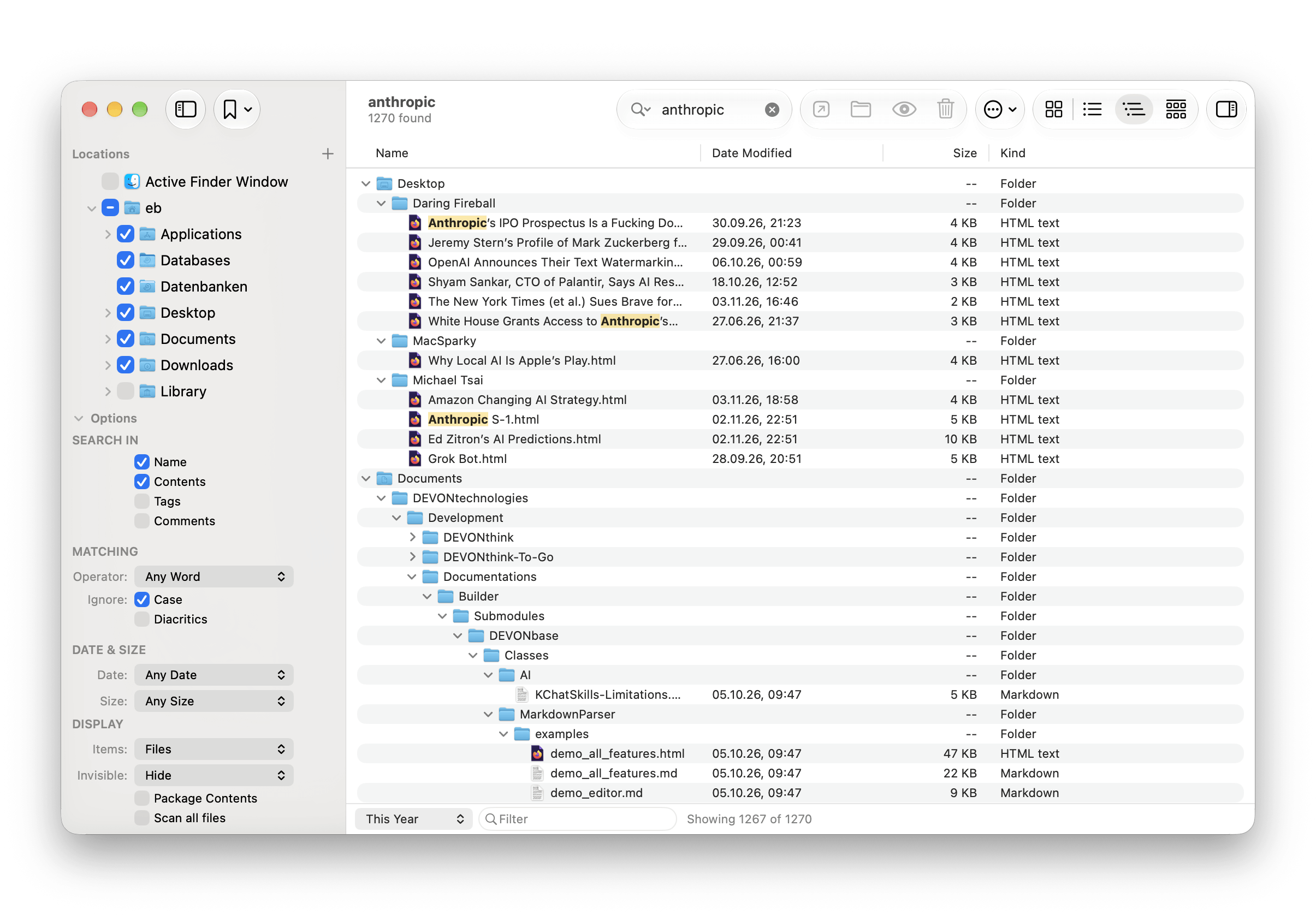
_Official product-page screenshot of EasyFind 6 in tree view, with the Locations sidebar, search options, and hierarchical results. Source: https://www.devontechnologies.com/media/pages/apps/freeware/easyfind/413b7ab079-1795599102/easyfind-tree-light.png _
Menu bar and automation
EasyFind can live in the menu bar and summon a new search from any app with a shortcut of the user's choice. The blog lists "Apple Script, Shortcuts, Siri, and its own URL scheme," plus "great keyboard shortcuts support." DEVONtechnologies' German blog post says shortcuts cover "für fast alle Funktionen." The product page describes "a full Apple Script dictionary, Shortcuts actions, Siri and Apple Intelligence voice queries, and a custom URL scheme." Apple Intelligence appears only on the product page.
The speed claims
DEVONtechnologies makes three related claims, all limited to solid-state drives:
- Blog: "content searches that run two to three times faster than before on SSD drives."
- Product page: "The performance on solid-state drives is up to three times faster than previous versions for large folder trees," with the sentence continuing to a separate point about Finder comments.
- Download-page tooltip: "on a solid-state drive a content search runs two to three times faster than in EasyFind 5."
These are the developer's statements. The official pages reviewed give no independent benchmark.
Requirements
The wording differs by page:
- Blog: "EasyFind 6 requires macOS 15 Sequoia or later and, of course, keeps squirreling for free."
- Product page and freeware index: "Version 6.0. Requires macOS Sequoia or later."
- Download-page footnote and modal: "Version 6.0. Requires macOS Sequoia or later."
- Download table: "macOS Sequoia."
The official pages reviewed do not state Apple silicon versus Intel support, RAM, or a minimum Mac model. This research did not find EasyFind 5's system requirements on the official legacy-versions page.
The general FAQ, which is not a 6.0 release note, says EasyFind "should be given Full Disk Access in System Preferences > Security & Privacy > Privacy," which it says allows "searching available disks in EasyFind."
Distribution and cost
The download page says "Our freeware is, well, free to use — enjoy!" No price, subscription, in-app purchase or trial is stated on the blog, product, freeware or download pages. The product page's HTML contains a generic purchase dialog with seat-and-update boilerplate, but it has no EasyFind buttons or prices, so it is not an EasyFind offer.
Official pages present 6.0 as a direct download. A public iTunes Search API query for "EasyFind" (Mac software, US, limit 10), run on 25 November 2026 at about 5:06–5:09 PM PT (America/Los_Angeles), did not return DEVONtechnologies' EasyFind. That does not prove anything about the past, and no Mac App Store availability is claimed here. A HEAD request to the zip returned HTTP 200, application/zip, 4,126,928 bytes, with Last-Modified of Wed, 25 Nov 2026 08:59:49 GMT (12:59 AM PT). That is a file timestamp, separate from the November 24 blog byline.
Who this release is for, and what is not claimed
On the official evidence, 6.0 suits people on macOS 15 or later who want a free, index-free search tool with the new window, saved searches and menu-bar access. Existing users can move to 6.0 only if their Mac meets the new OS requirement.
There is no official chip-architecture statement. Official pages describe no iPhone, iPad, Windows or web edition. iCloud is described for saved searches, not as a file index. The speed figures are the developer's SSD comparisons, not independent tests. German outlet MacGadget covered the release on 25 November 2026 (displayed as "12:00 Uhr," no timezone named); official wording prevails, and its Intel remark is not relied on.
For details, see the official blog post, product page and download page linked above.